







{{ frameLabel }}Preview only · set Device to “Fit to window” to comment
{{ gateBubble }}

Hi there, you found my portfolio

Some of my work includes client data, so it's behind a password. Type it in and the gatekeeper will let you through.

Not quite. The dog is unconvinced, try again. No password? Ask me for one
{{ curtainLabel }}
J. SmithJ. SmithJ. SmithJ. SmithJ. SmithJ. SmithJ. SmithJ. SmithJ. SmithJ. SmithJ. SmithJ. SmithJ. SmithJ. SmithJ. Smith
Evidence capture Shipped
Split casesRush casesResearch use case
Scheduling Coming soon
Aa
Button Ghost
Input field
Particle Shipped
{{ lb.title }}{{ lb.org }} · {{ lbPos }}
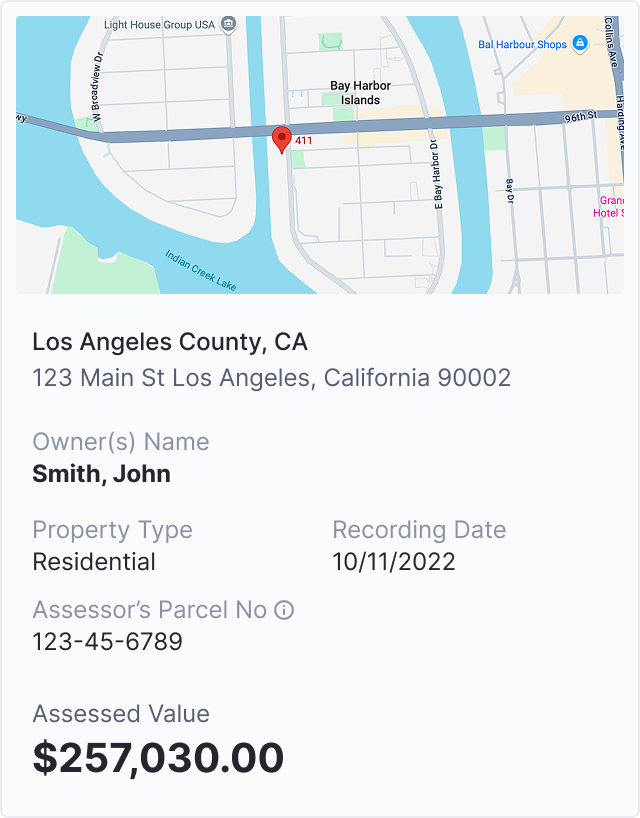
Property ownershipProperty ownership finding
Risk levels
High risk findingsModerate risk findingsInformational findings
Report · SummaryInteractive report summary
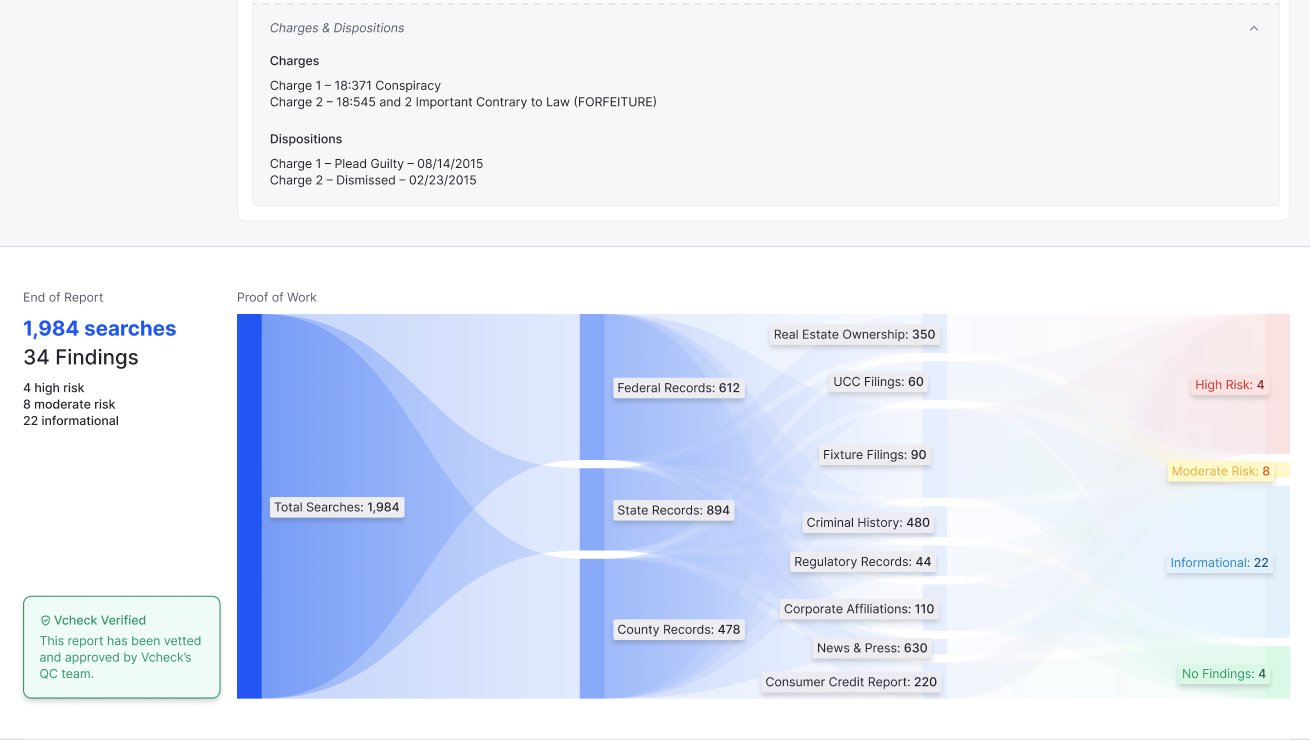
Proof of workProof of work chart
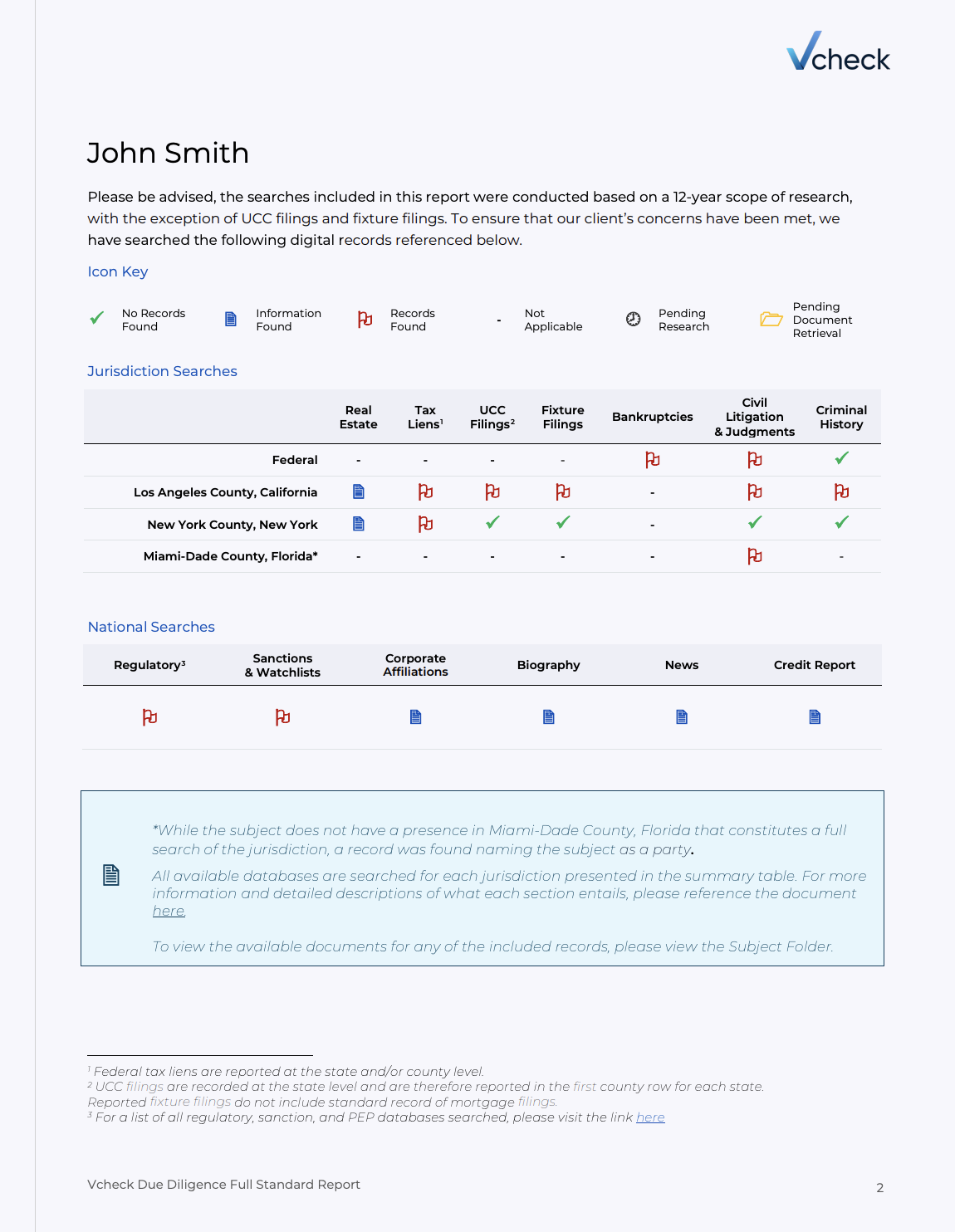
Before · Static PDFOld static PDF
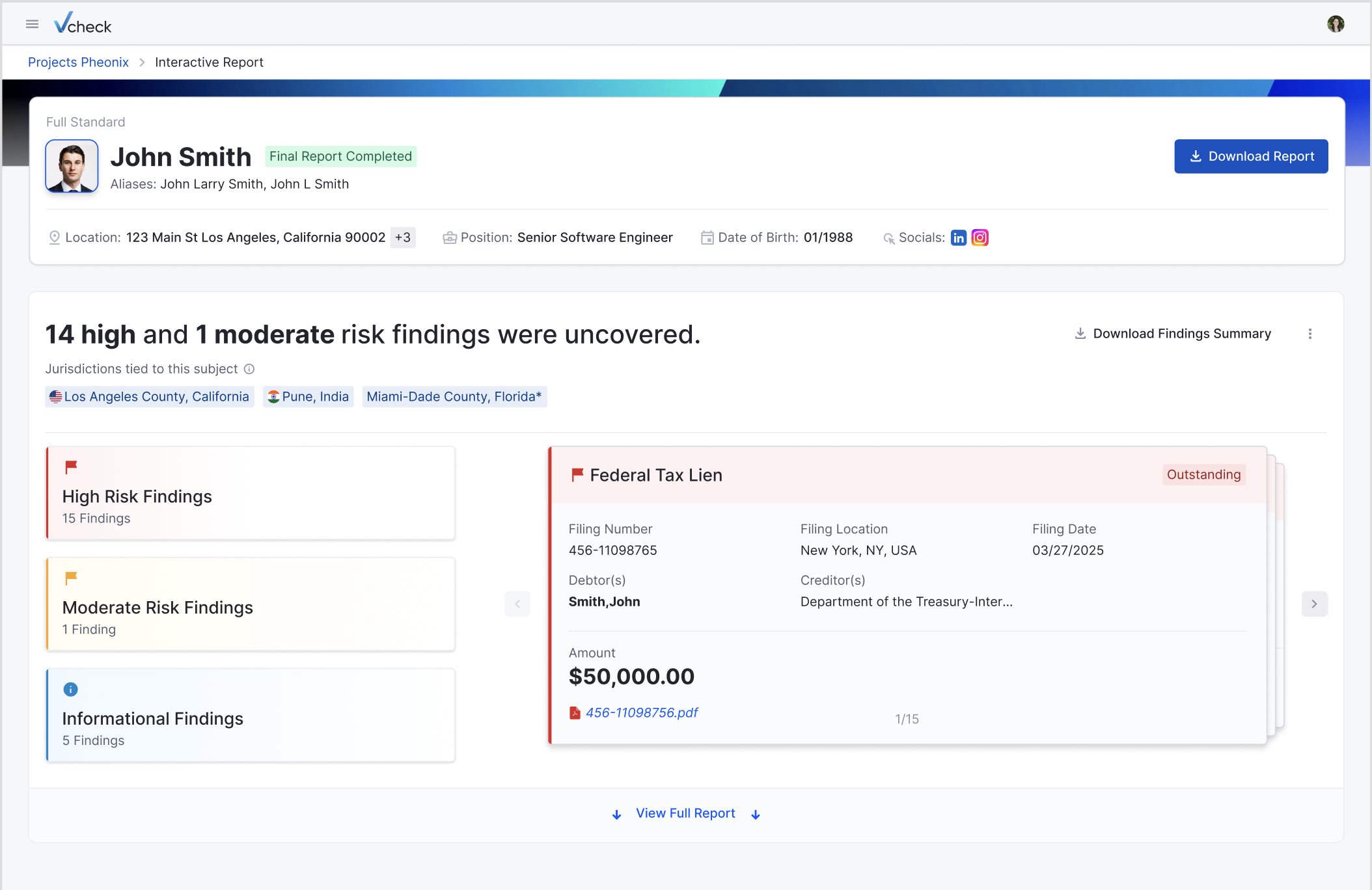
Subject headerSubject header
Jurisdiction chips
Los Angeles County, CaliforniaPune, India
Interactive report · Vcheck Investigations
Report
From static PDF to live findings.
DESIGN TEAM
Design creates & approves
(Patterns, principles and decisions are documented)
AI KNOWLEDGE/
Project LORE
Engineer/PM/PO has a
small design problem
They query AI Knowledge /
Project LORE
Claude searches approved
design knowledge
Claude proposes a solution
Design team reviews
Approved decision added
back to knowledge base
{{ lbImg }}

{{ lb.context }}

The problem

{{ lb.problem }}

What I did

{{ lb.did }}

Outcome

{{ lb.outcome }}

Currently at VCheck Global

RachitaRachita in Ladakh Bhandari.

Sr. Product Designer
{{ badgeMarquee }}
{{ hearts }}
Tap to pet{{ pets }} pets given
Data-informed design Design systems Mentoring designers 0→1 and scale
Pet me {{ hearts }}
{{ pets }} pets given

I lead design across VCheck's product ecosystem, bringing structure to complex verification workflows in internal tools, client platforms and risk dashboards. I'm also leading our shift to AI-enabled design, and I mentor the designers who make it happen.

Product strategy AI-first product design
Senior Product Designer · Currently at VCheck Global

Rachita
Bhandari.

I lead design across VCheck's product ecosystem, bringing structure to complex verification workflows. I'm also leading our shift to AI-enabled design, and I mentor the designers who make it happen.

01Product design & deliveryStructure for complex verification workflows across internal tools, client platforms and risk dashboards.
02AI-powered designAn intelligent design knowledge layer that brings the system and product decisions into AI workflows.
03Design leadershipManaging and mentoring designers, and scaling design practice as the organisation grows.
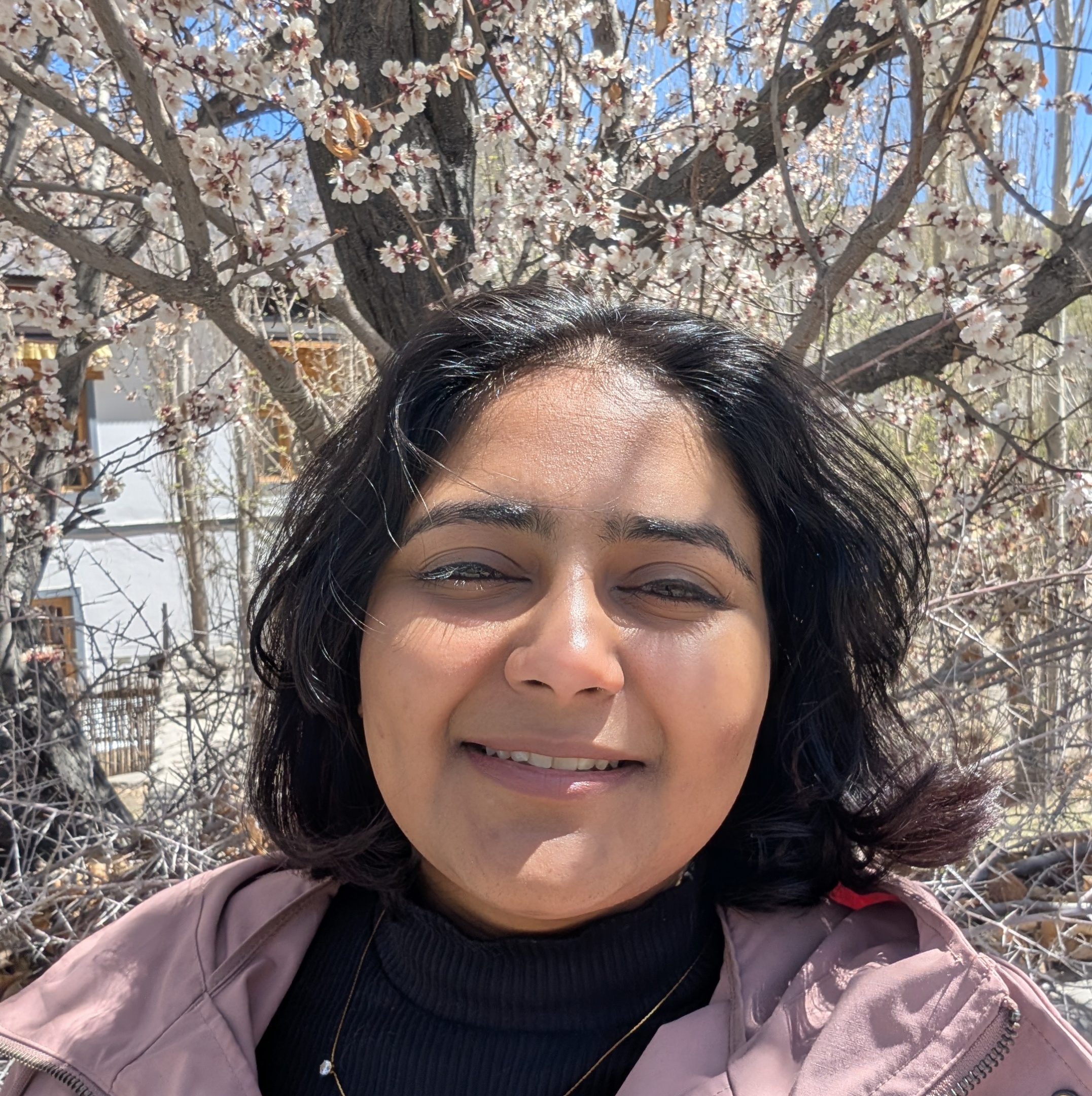
Rachita under apricot blossoms in Ladakh Ladakh, in bloom
Rachita Bhandari Rachita BhandariSenior Product Designer · VCheck

I bring structure to complex workflows and make them feel {{ word }}

01Product design & deliveryStructure for complex verification workflows across internal tools, client platforms and risk dashboards.
02AI-powered designAn intelligent design knowledge layer that brings the system and product decisions into AI workflows.
03Design leadershipManaging and mentoring designers, and scaling design practice as the organisation grows.
Senior Product Designer · Currently at VCheck Global{{ spotHint }}

Rachita
Bhandari.

I lead design across VCheck's product ecosystem, bringing structure to complex verification workflows, and I mentor the designers who make it happen.

(01) Selected work
{{ w.n }} {{ w.title }} {{ w.line }} Coming soon {{ w.n }} {{ w.title }} {{ w.line }} Coming soon
(02) Kind wordsFrom people I've worked with
“Recommendation goes here. One or two sentences from someone who has worked with Rachita.”
A Name SurnameRole · Company
“Second recommendation goes here. Keep it short, specific, and in their words.”
B Name SurnameRole · Company
{{ outsideNum }} Outside of design Get to know me Community dogs, far-off mountains and a sketchbook. The things I do when I'm not designing. Meet me off the clock
Pangong TsoPangong Tso, Ladakh
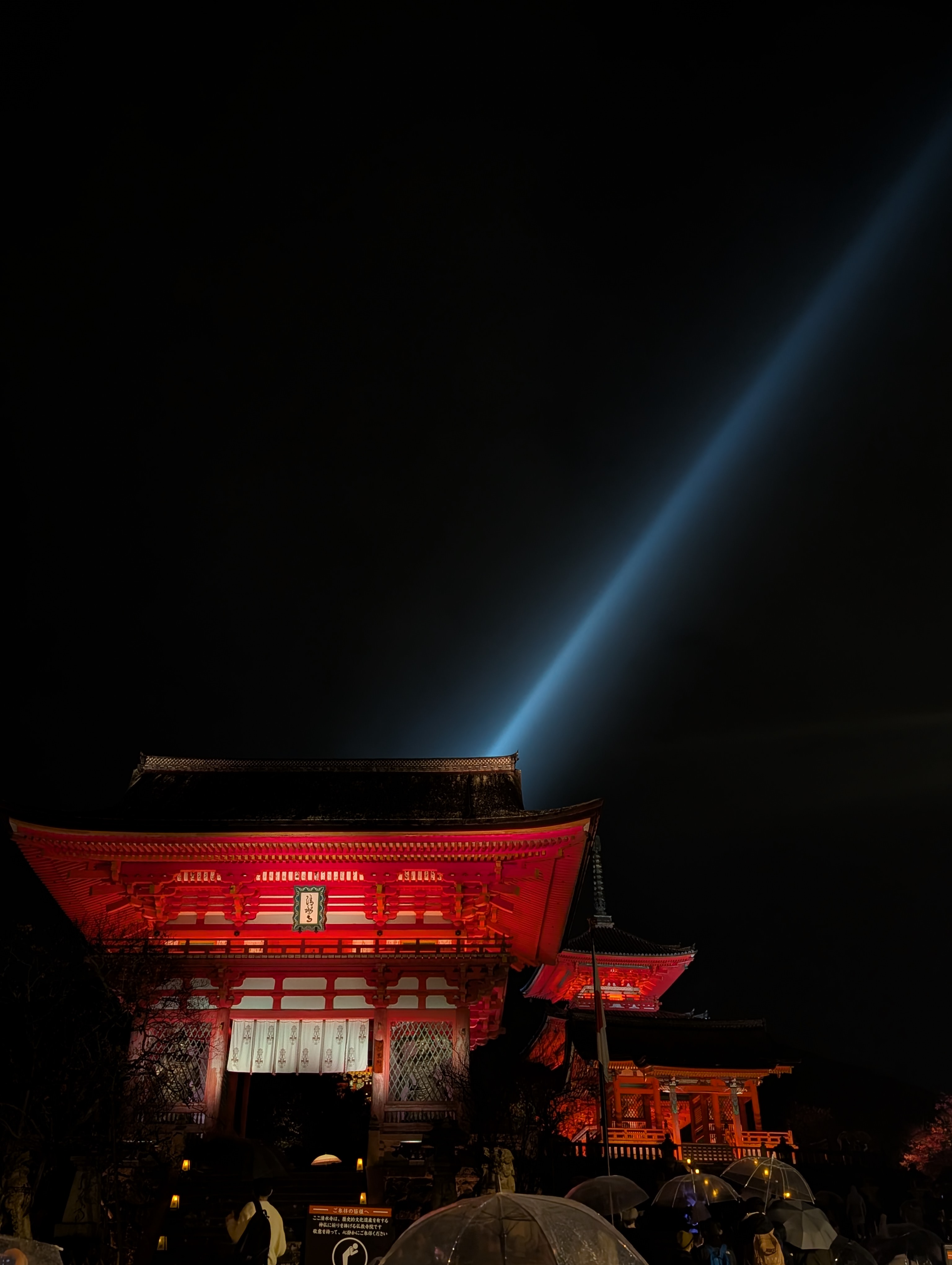
Kiyomizu-dera at nightKyoto in the dark
The Milky Way over the mountainsStayed up for these

Selected
work

A small set of projects, written up in depth. More are on the way.

{{ w.n }} {{ w.title }} {{ w.line }} Coming soon {{ w.n }} {{ w.title }} {{ w.line }} Coming soon
Also shippedClick to enlarge
Property ownershipProperty ownership finding
Risk levels
High risk findingsModerate risk findingsInformational findings
Report · SummaryInteractive report summary
Proof of workProof of work chart
Before · Static PDFOld static PDF
Subject headerSubject header
Jurisdiction chips
Los Angeles County, CaliforniaPune, India
Interactive report · Vcheck Investigations
Report
From static PDF to live findings.
DESIGN TEAM
Design creates & approves
(Patterns, principles and decisions are documented)
AI KNOWLEDGE/
Project LORE
Engineer/PM/PO has a
small design problem
They query AI Knowledge /
Project LORE
Claude searches approved
design knowledge
Claude proposes a solution
Design team reviews
Approved decision added
back to knowledge base
{{ x.title }}{{ x.org }} {{ x.line }}
All work Case study 02 · Vcheck

Particle
design system
RoleProduct designer 
Timeline1 sprint (4 weeks)
Team3 designers
ScopeAudit · Tokens · Components · Docs · Rollout
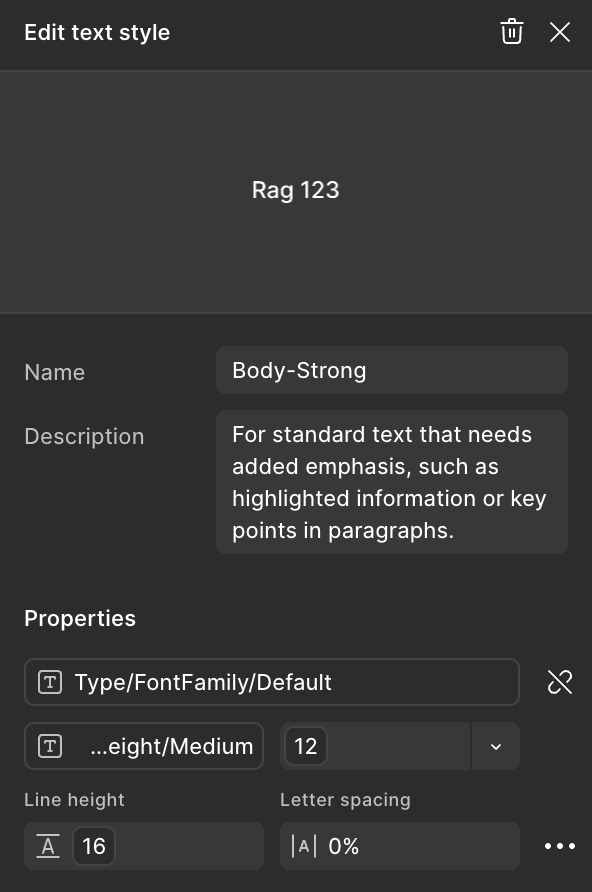
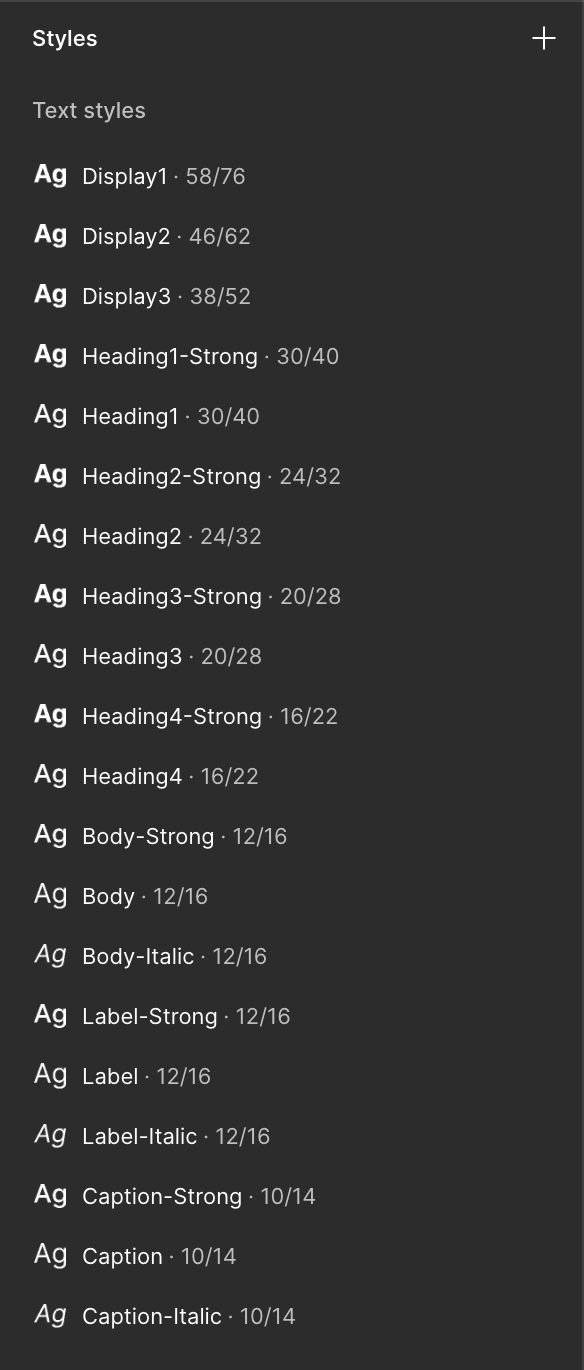
Text styles Text styles
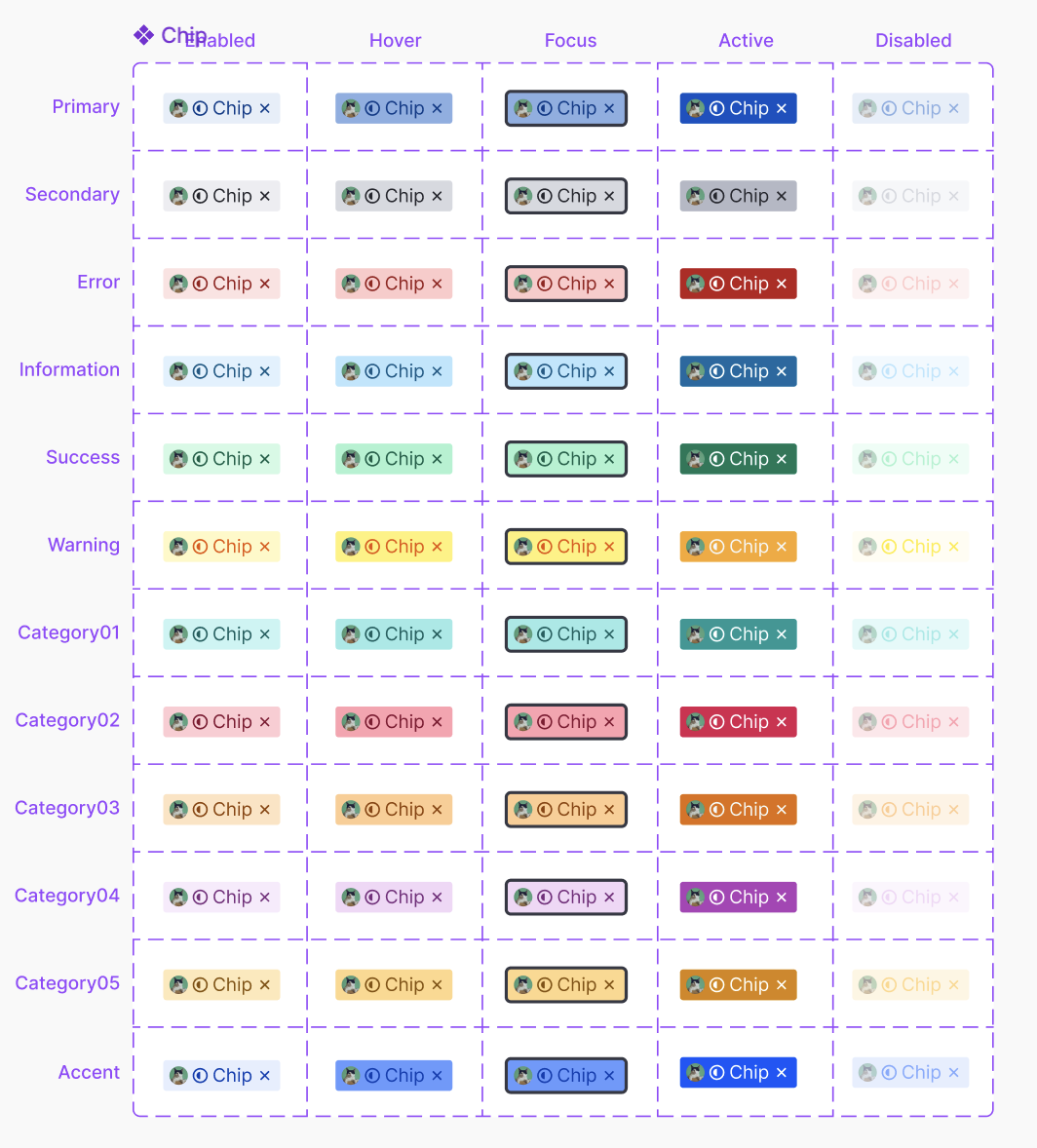
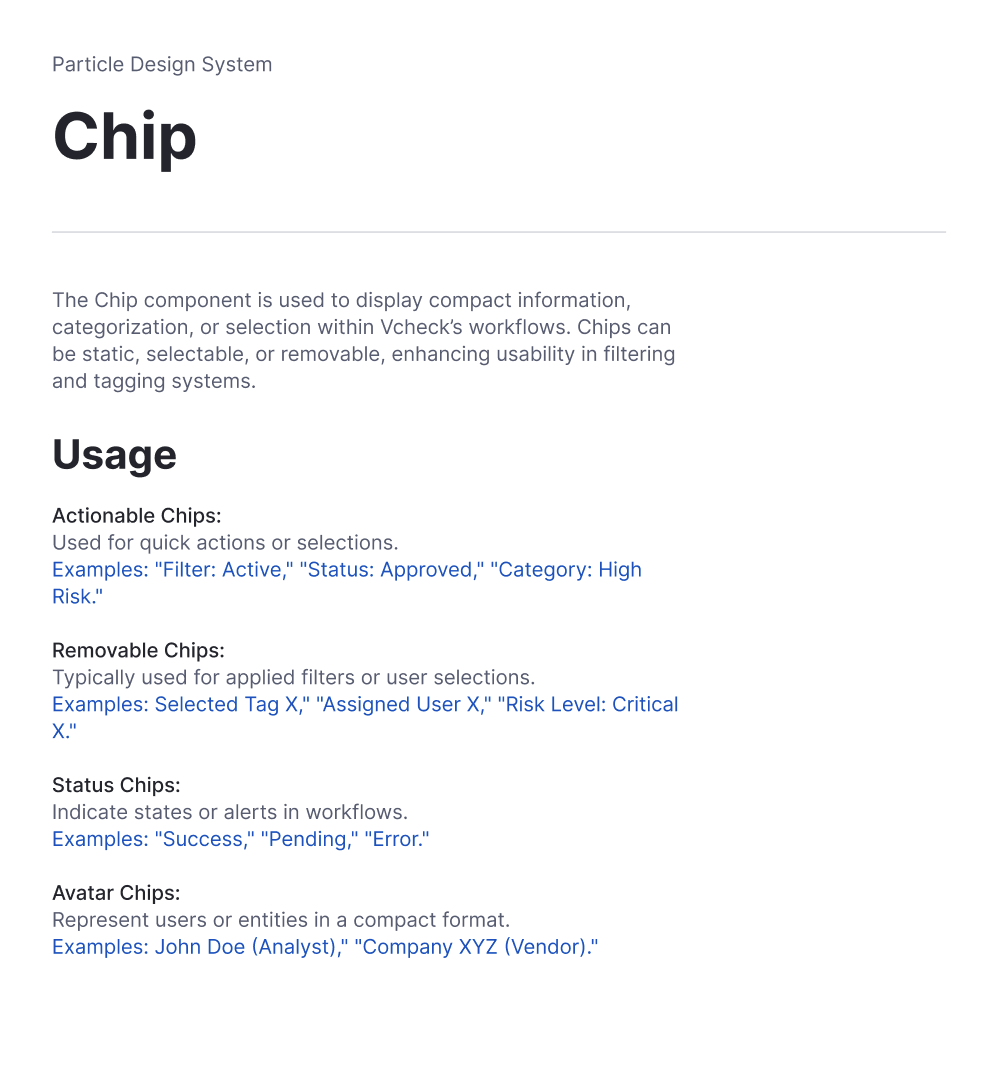
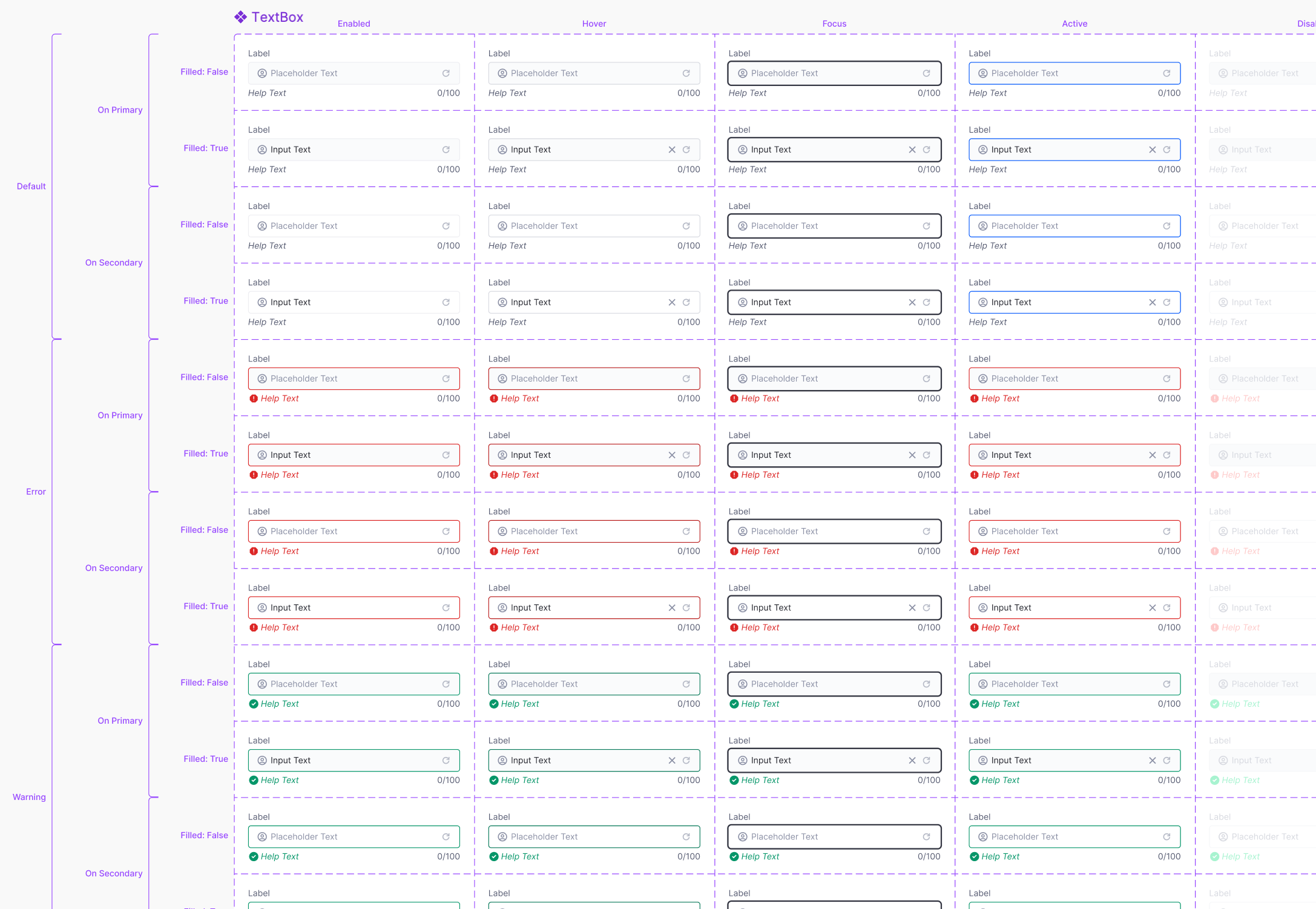
Chip · 12 variants × 5 states Chip · 12 variants × 5 states
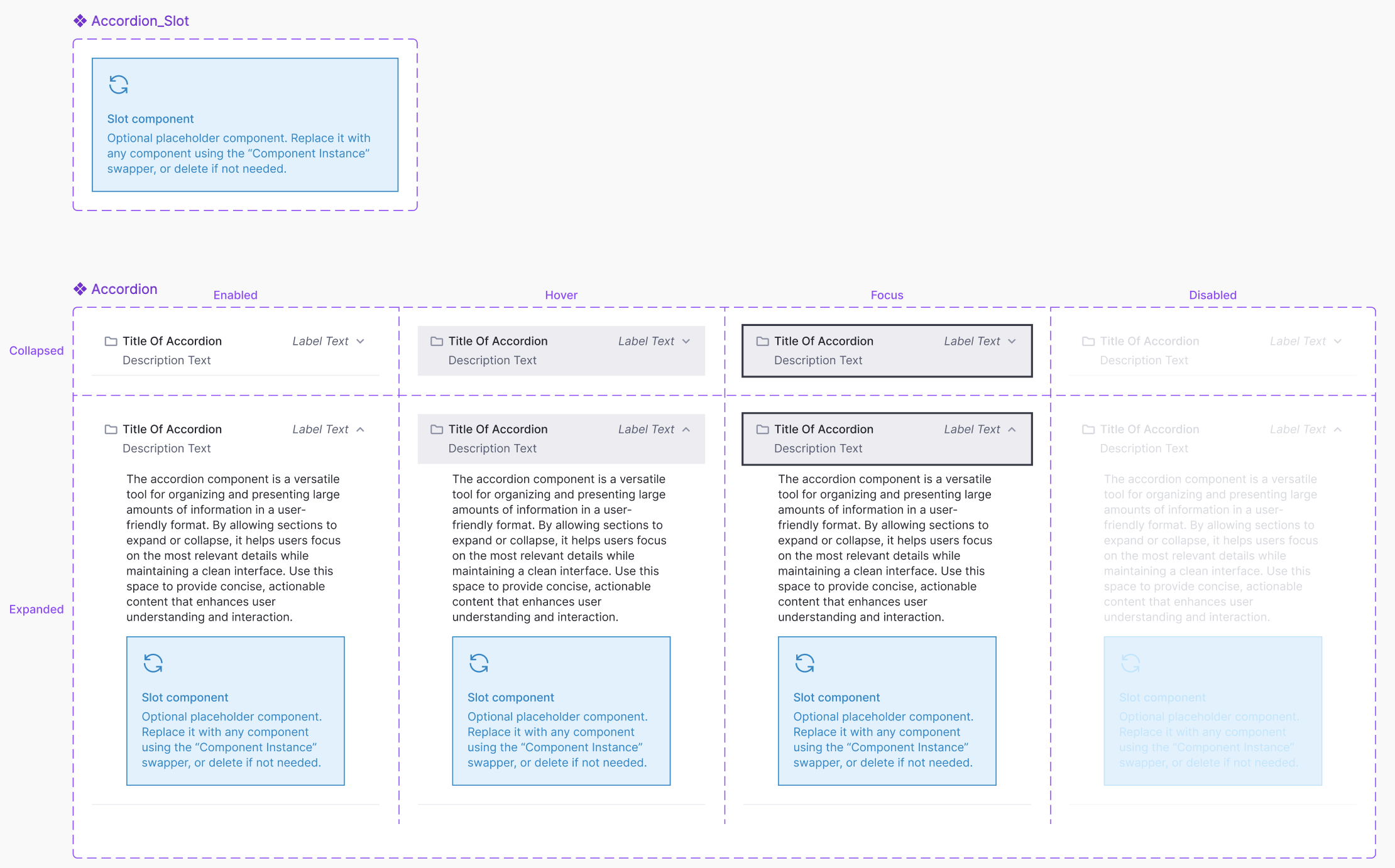
Accordion Accordion
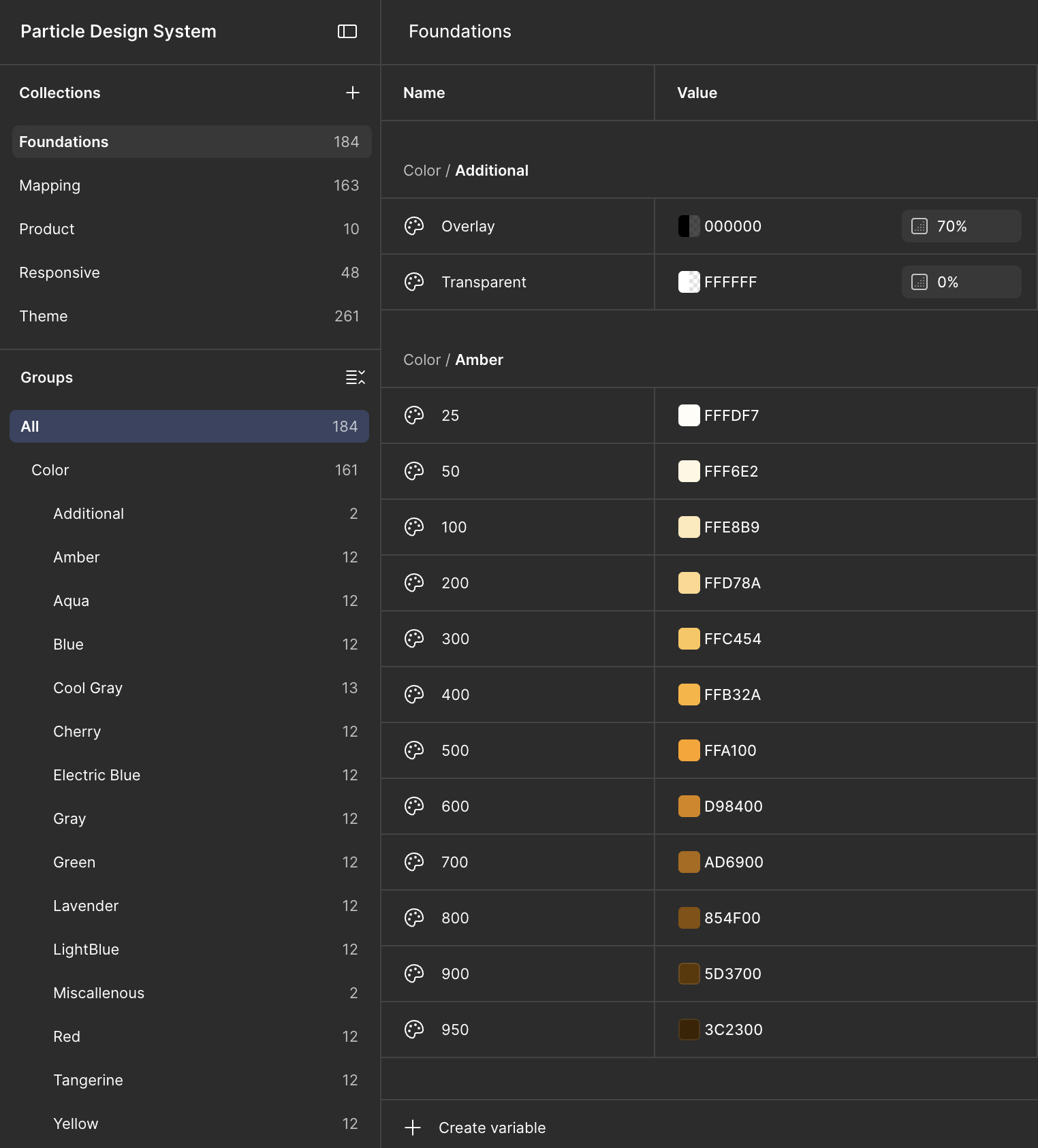
Foundations · variables Foundations · variables
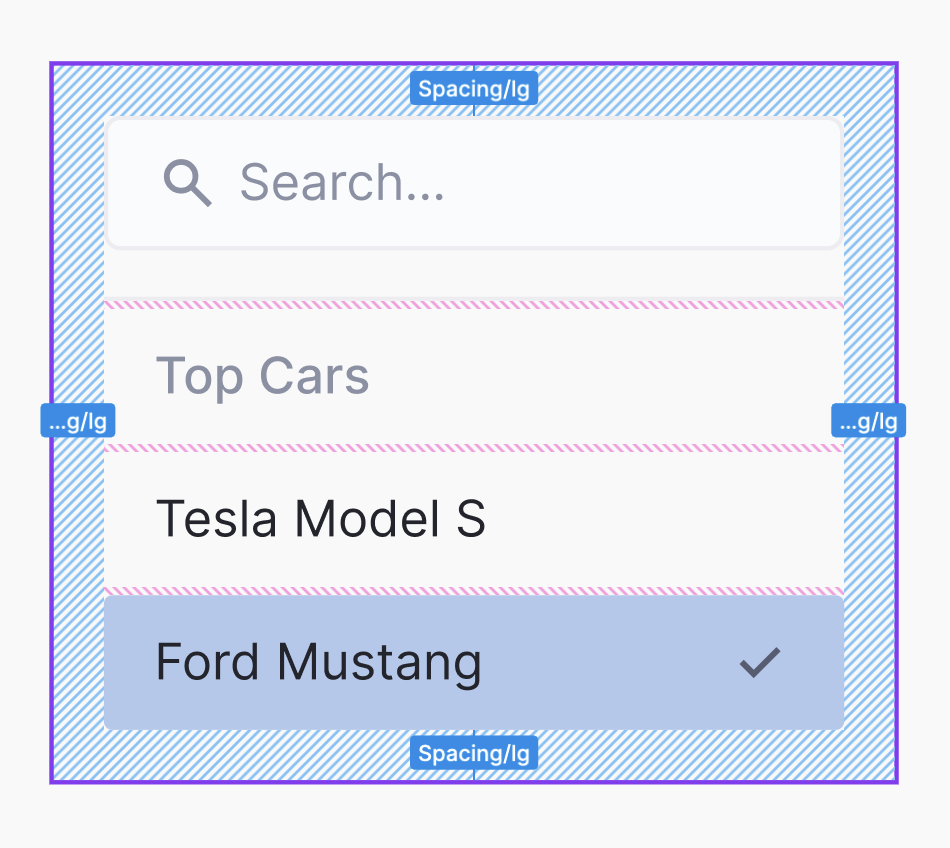
Dropdown · spacing Dropdown · spacing
Body-Strong Body-Strong
Chip · documentation Chip · documentation
Cover
Design system · Vcheck
Particle Designed once.
Shipped everywhere.
Hug × Hug
Overview

Vcheck had three teams answering the same design questions separately, with nothing shared to check against. I started by cataloguing every screen and every place the product disagreed with itself, then turned that record into Particle, the design system all three teams now build from. New features take 40% less design time, and engineering ships twice as fast.

Design time −40%for new features
Delivery speed 2×engineering delivery
01 · The problem

Three teams, three products, one company

Each team at Vcheck was shipping its own product in its own visual language. A dropdown designed in March would be designed again in June by someone else, solving the same problem without knowing it had already been solved.

Nothing underneath was shared. States were missing, names followed no convention, and there was no documentation to point to. Engineers read each spec their own way, and designers drew the same components again for every new feature.

3teams building separate products with no shared foundation
0pages of documentation for states, behaviour or edge cases
Everynew feature started by rebuilding components from scratch
02 · Measuring the gap

I counted before I drew

The audit came first: every screen, every component, every pattern, logged with where it had been duplicated and where two versions disagreed. It turned out worse than anyone expected.

Then I sat with engineers to find the exact places they were guessing, and studied how IBM, Atlassian and Microsoft had solved the same problems, to set a bar for what Particle had to reach.

03 · Three bets

Decisions made before the first component

01
Engineering owns the architecture with me

Every component started as a written API: props, variants and states, agreed with engineering before any pixels. When something could not be built as specified, the spec changed, not the expectation.

02
A component without docs is not finished

Usage guidance, naming standards, examples and accessibility specs shipped with each component, held to the same bar as the component itself.

03
Easier than the workaround

The system could not be mandated into use. I rolled it out one product area at a time, held weekly office hours, and treated every question as a sign that something needed to be clearer.

04 · What shipped

Four layers on one foundation

60+ components and 200+ variants. Different products, one shared foundation.
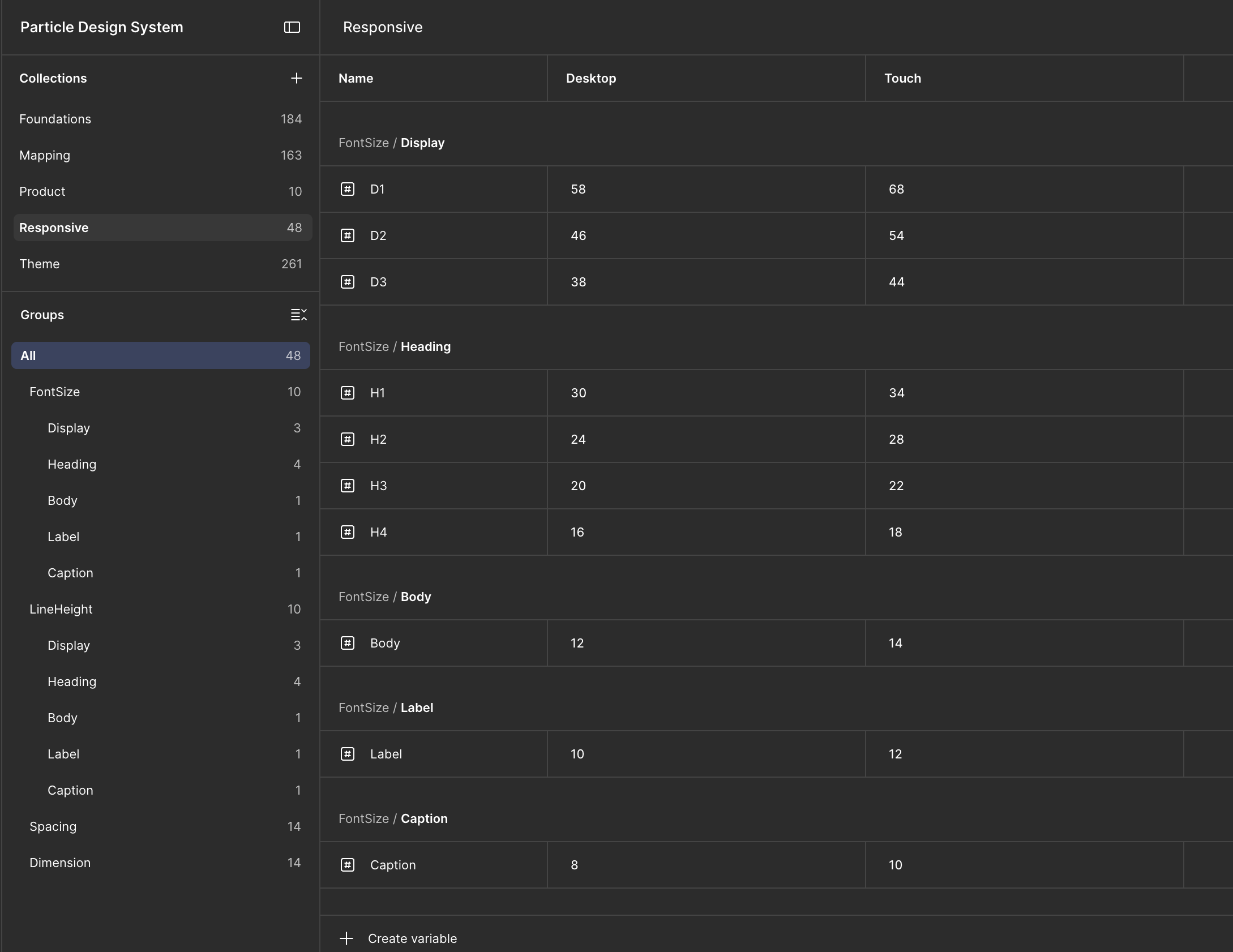
L1FoundationsColor, typography, spacing, elevation, radius and grid. Tokens sync between Figma variables and development tokens, so one change propagates everywhere.
Foundations image
L2ComponentsButtons, inputs, modals, tables, dropdowns, tabs. Each with its full set of states: hover, active, error and disabled. Structured enough to enforce consistency, flexible enough for edge cases.
Component image
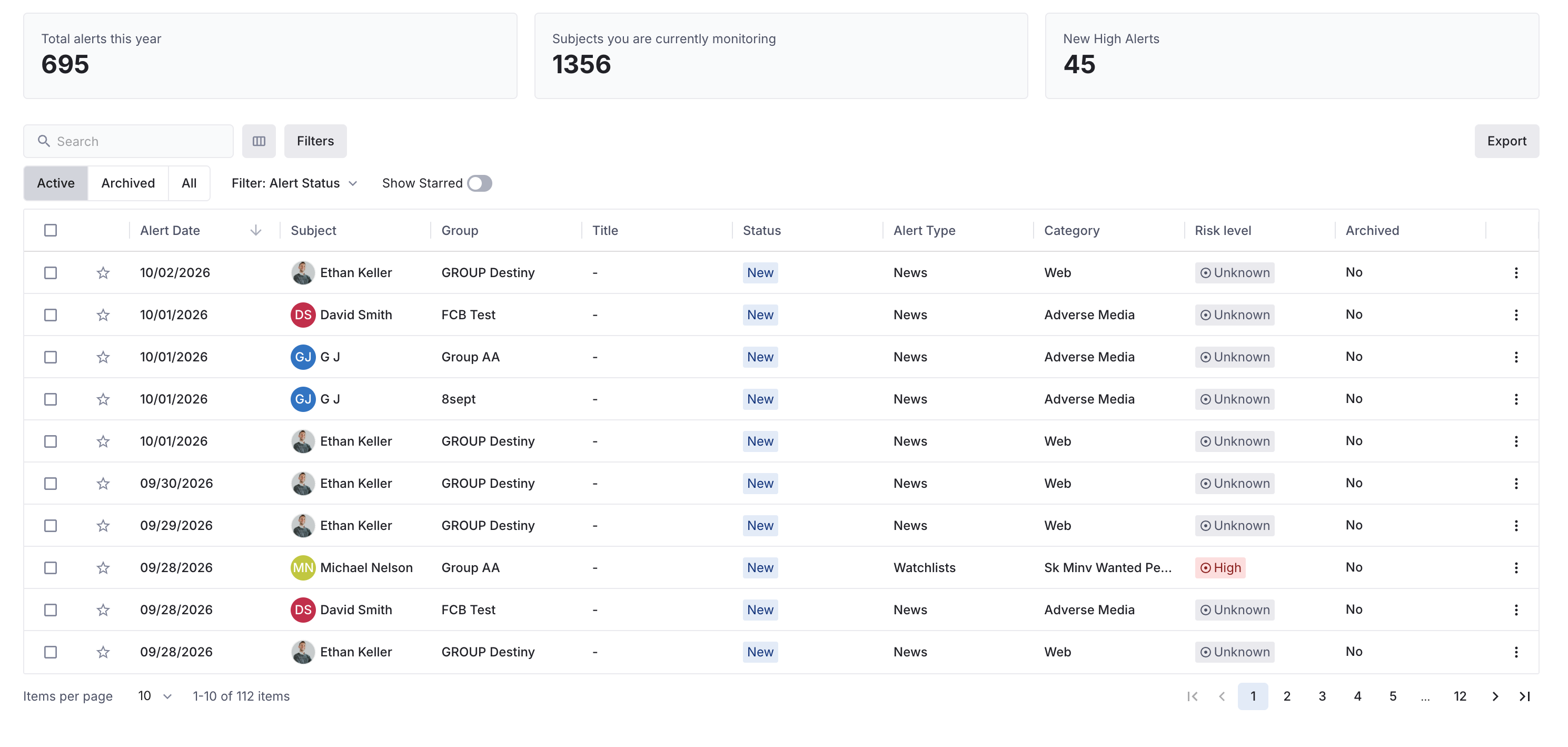
L3PatternsStatus indicators, form flows, filter panels and data views. Reusable answers to problems that kept recurring.
Pattern image
L4DocumentationWritten for designers, engineers, QA and product managers. If it did not serve all four, it did not serve its purpose.
Documentation image
05 · What changed

Work got faster because nobody had to guess

−40%Design time for new features
2×Engineering delivery speed
−60%Design QA escalations
Designers

Stopped redrawing and started composing screens from parts that already existed.

Engineers

Stopped interpreting specs and started building from one agreed definition.

QA

Stopped catching inconsistencies that should never have reached them.
NextAutomated evidence capture
All work
Case study 01 · VCheck Shipped

Automated evidence capture and alias tagging

RoleSr. Product Designer
Timeline1.5 sprints (6 weeks)
TeamDesign · Product · Engineering
ProcessResearch · Idea explorations · Stakeholder feedback · Usability testing · Prototyping & iterations · Handoff
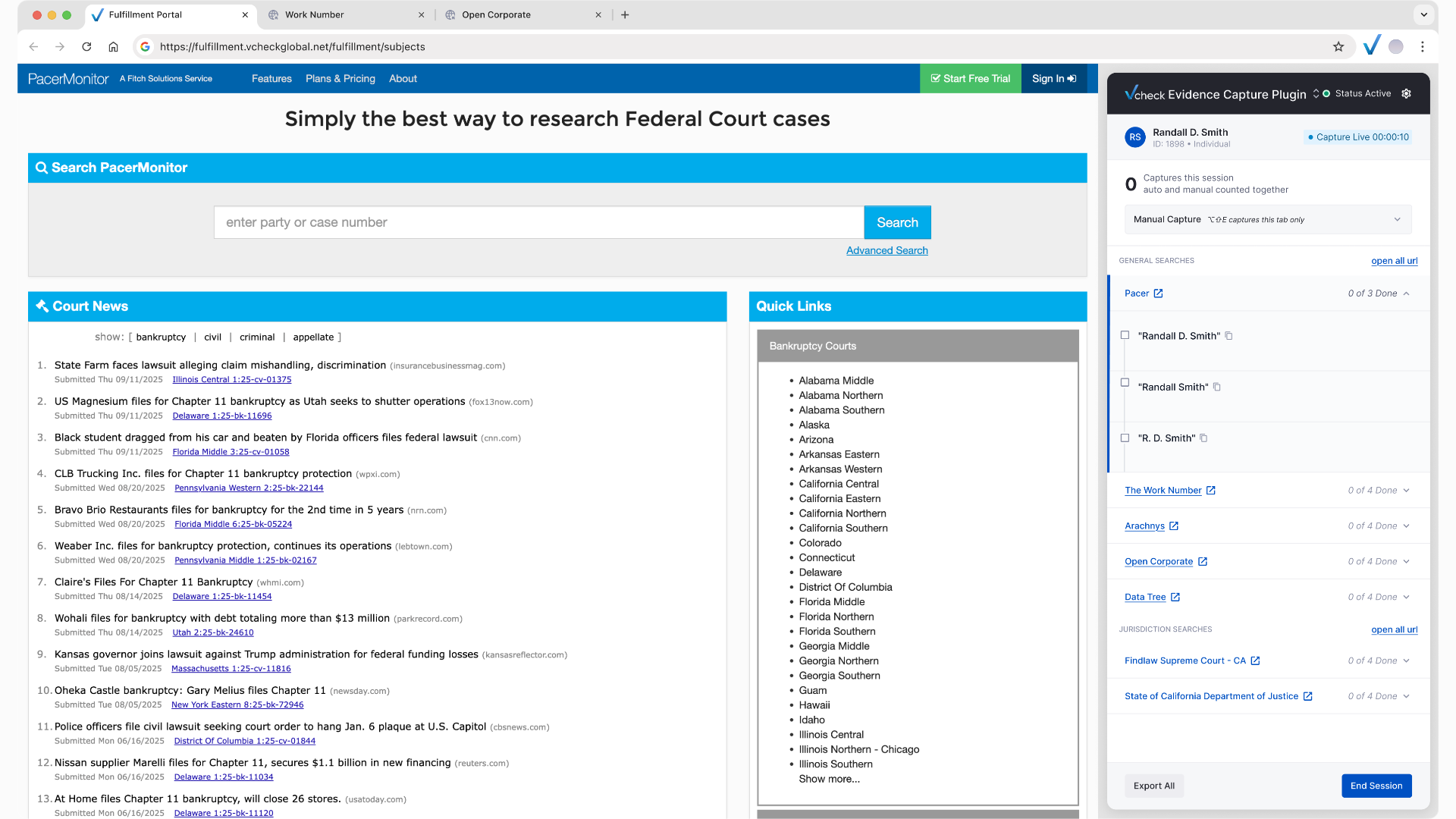
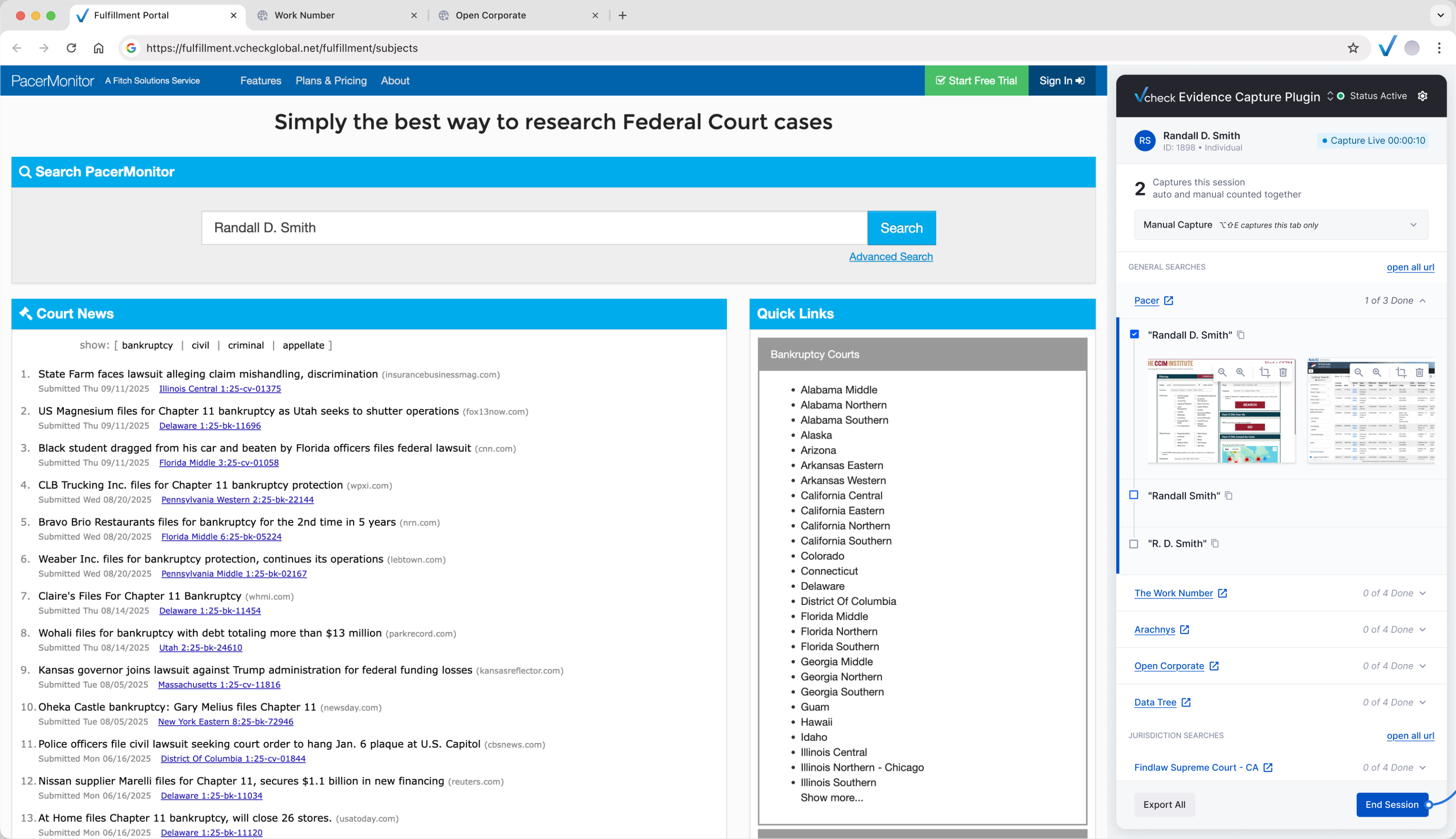
Evidence Capture plugin docked beside PacerMonitor, capturing a search for Randall D. Smith {{ ecAnim }}

Overview

Investigators at VCheck screenshot every search result and file it by hand against the name variation they searched, hundreds of times per case. Research pointed at the filing step, so that is where we started. Halfway through, the team realised the filing problem disappears if the system captures the search itself. The result is a browser plugin that records evidence as the investigator works, with bulk upload kept as the fallback.

The pain60%of 53 investigators named evidence filing as their biggest frustration
The signal100%of interviewees described the work as mechanical, a job for the system
The change92steps per alias, per site, once the plugin captures and files the search
01 · The problem

One click per screenshot, per alias, per search

For every subject, an investigator searches public records under each name variation, or alias, the person has used. Every result is screenshotted, uploaded to the portal and filed under the alias it belongs to, so QC reviewers can filter it later.

Filing is manual: one dropdown, one click per screenshot, per alias, per search. A subject with 10 to 20 name variations repeats that cycle hundreds of times on a single case. Everyone we spoke to called the work mechanical.

“It is a lot of clicking, and the portal can be a bit slow. For one search, I am clicking to open the site, searching the name variation, taking a screenshot…”
Manager, Training and Development
BeforeOne alias, one site, nine steps
  1. 1Open the source site
  2. 2Copy the alias
  3. 3Paste and search
  4. 4Screenshot criteria
  5. 5Screenshot results
  6. 6Back to the portal
  7. 7Upload files
  8. 8Pick the search
  9. 9Pick the alias
Every step is the investigator’s. Multiply by every alias, then by every site.
02 · What the research showed

What the research told us

A survey of 53 investigators, shadowing on the evidence page, and six depth interviews with investigators, QC and training leads. Every finding pointed back to the same step: tagging evidence to the right alias.

01The alias is in every screenshot, but detection is 100% manualScreenshots must show the search criteria. The system could read what the investigator is being asked to type.“If I searched PACER for John Smith, the portal should detect this and add the relevant tag.” — QC reviewer
02Tagging is the most repeated step in the jobOne dropdown, one click per screenshot, per alias, per search. A subject with 10 to 20 name variations turns a single case into hundreds of identical tagging actions.
03The system already tags some evidence, and that part worksVendor searches from Qubit arrive tagged and filter correctly in QC. Automatic tagging was already proven in the product. Manual searches just never got it.
03 · First answer

Fix the filing

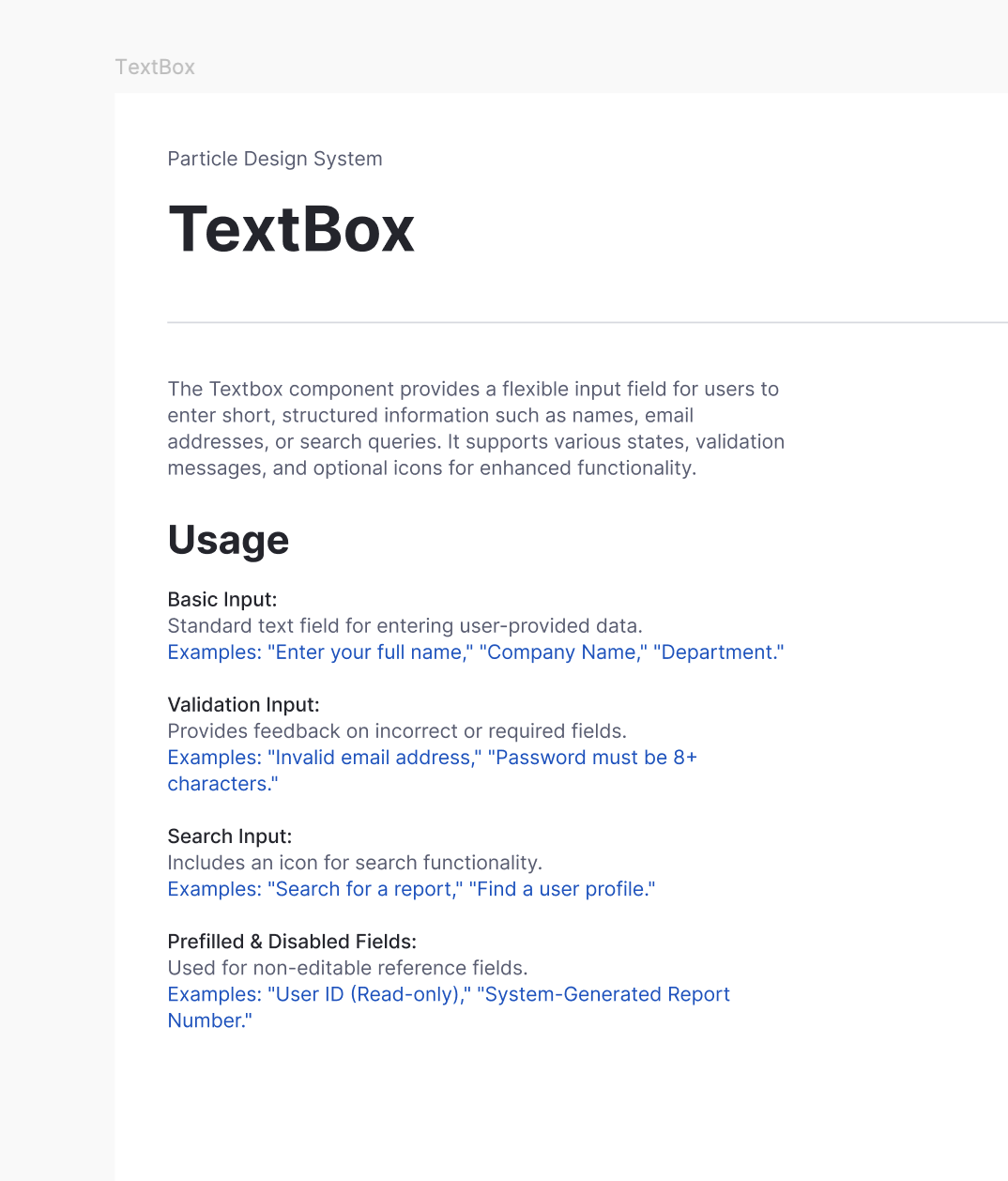
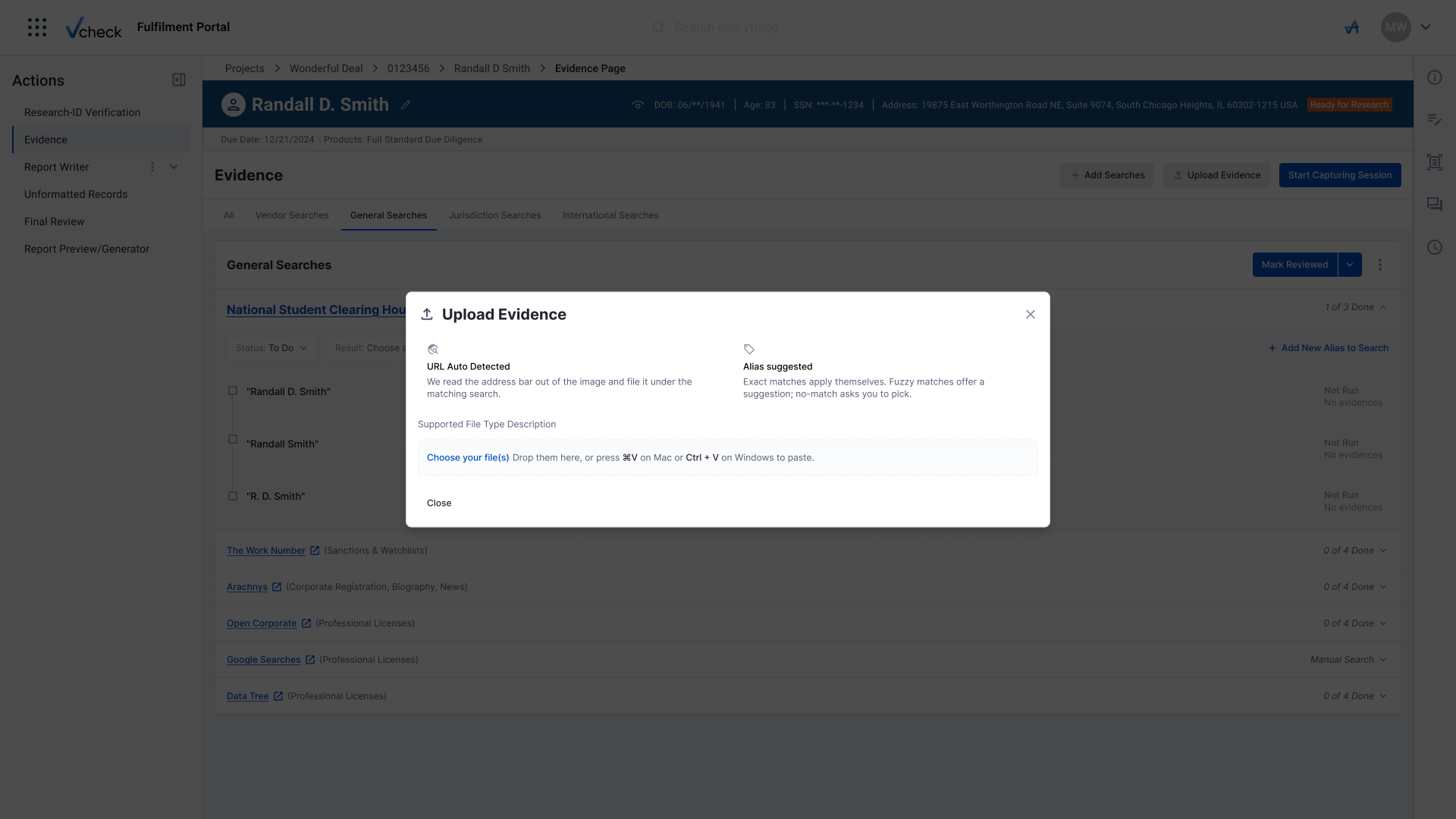
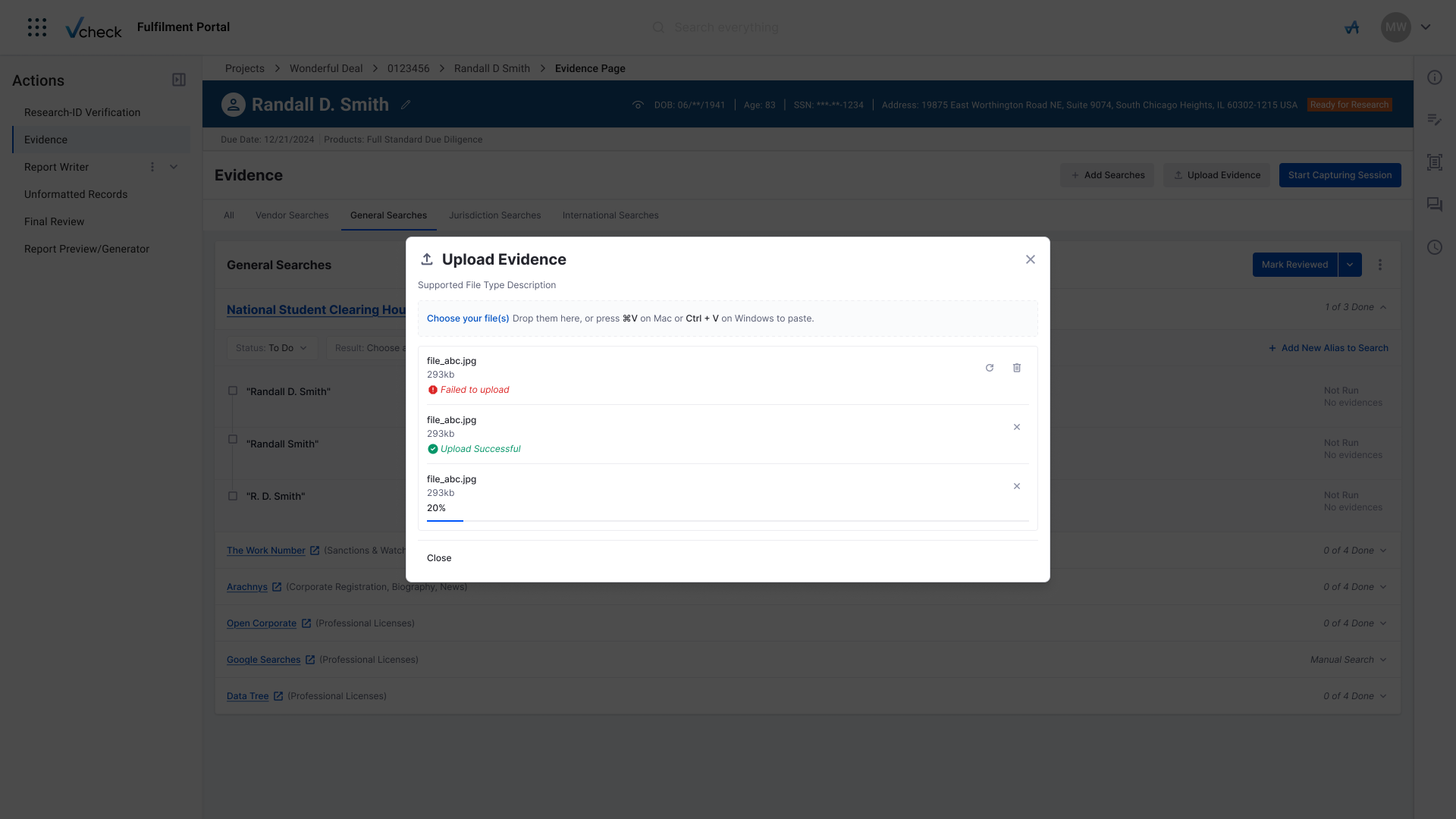
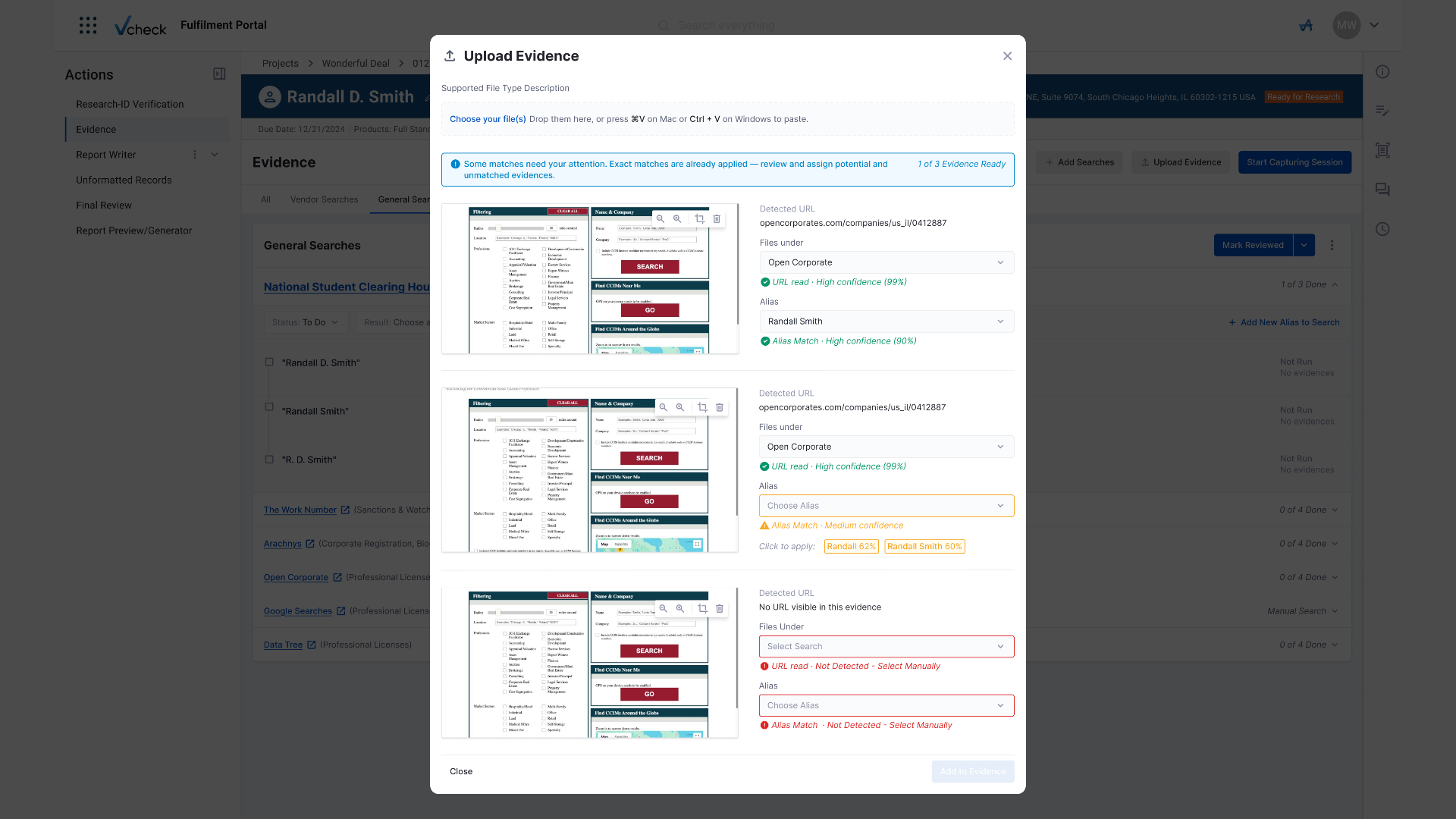
Research named the filing step, so the first design automated it. Investigators keep taking screenshots, but drop them in bulk; the portal reads the URL out of each image, matches it to a search and an alias, and asks for confirmation only where it is unsure.

Upload Evidence modal, drop files empty state
Upload Evidence modal, files uploading
Upload Evidence modal, auto-reading URLs and aliases
Upload Evidence modal, review and assign matches

It worked. It also left the investigator doing the most repetitive part of the job: taking the screenshots.

The pivot

The fastest way to tag evidence is to never take it by hand.

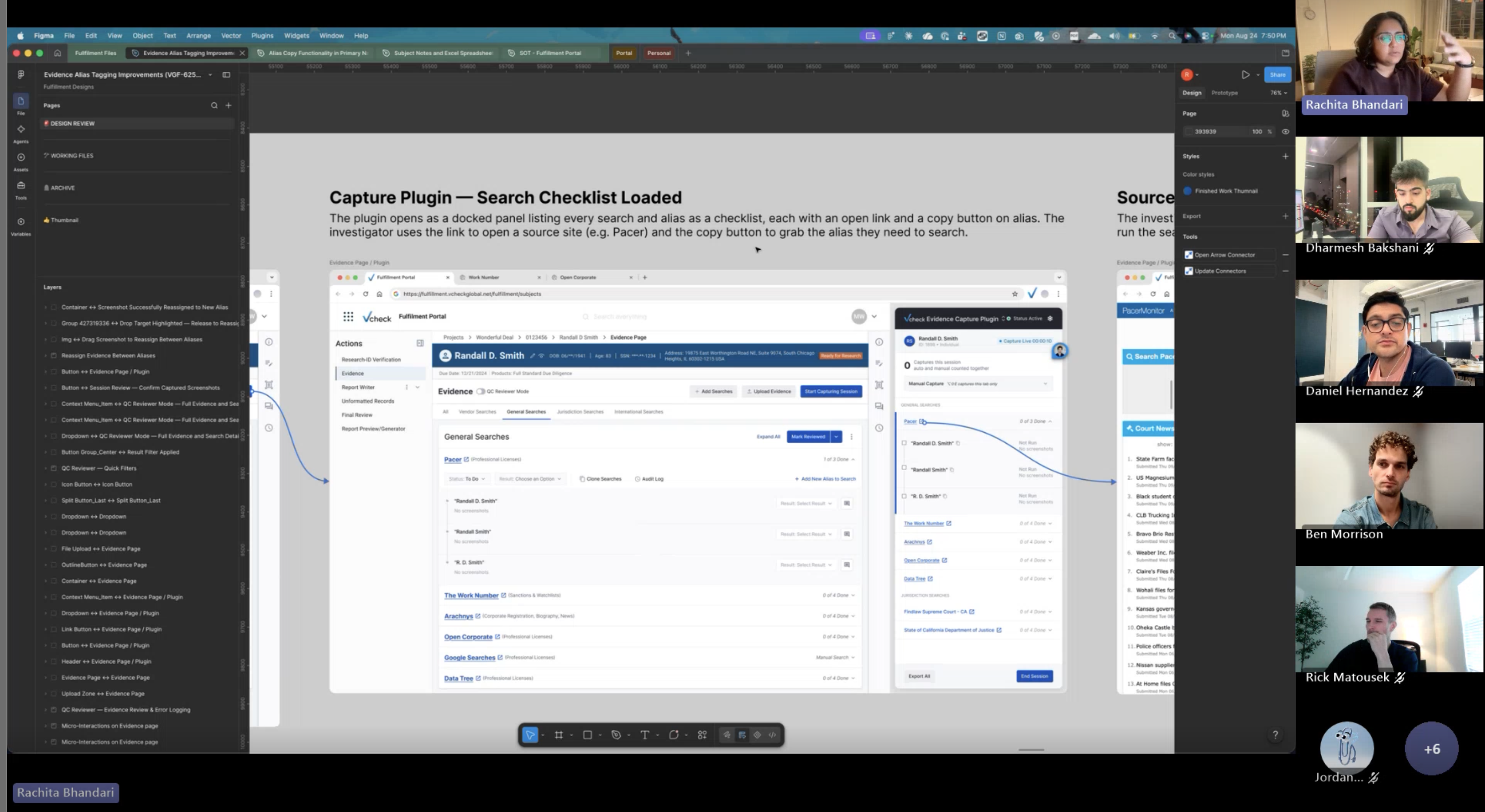
The idea came out of a detour. We were deep in the bulk-upload flow, in a design review, when the conversation wandered past the filing problem to the screenshot itself. Lupi argues that discovery depends as much on questioning the brief as on answering it. Bulk upload answered the brief: make filing faster. The detour questioned it, and the answer stopped being a better upload modal.

“That does not happen by taking a shortcut to the center. It happens in the detours.”
Giorgia Lupi · The New York Times, 2026
ResearchInvestigators asked for less clicking, not better filing.Every interview described the same loop: open, search, screenshot, upload. Capture was the chore.
ProductThe metric was report turnaround time.Smarter filing saves seconds per file. Removing the screenshot saves minutes per search.
EngineeringIf we can read the URL after the fact, we can read it live.A browser extension sees the same page the investigator does and already knows which alias was copied.
Presenting the design to stakeholdersDesign review
Walking stakeholders through the plugin proof of conceptProof of concept with stakeholders
04 · What shipped

Capture the search, not the screenshot

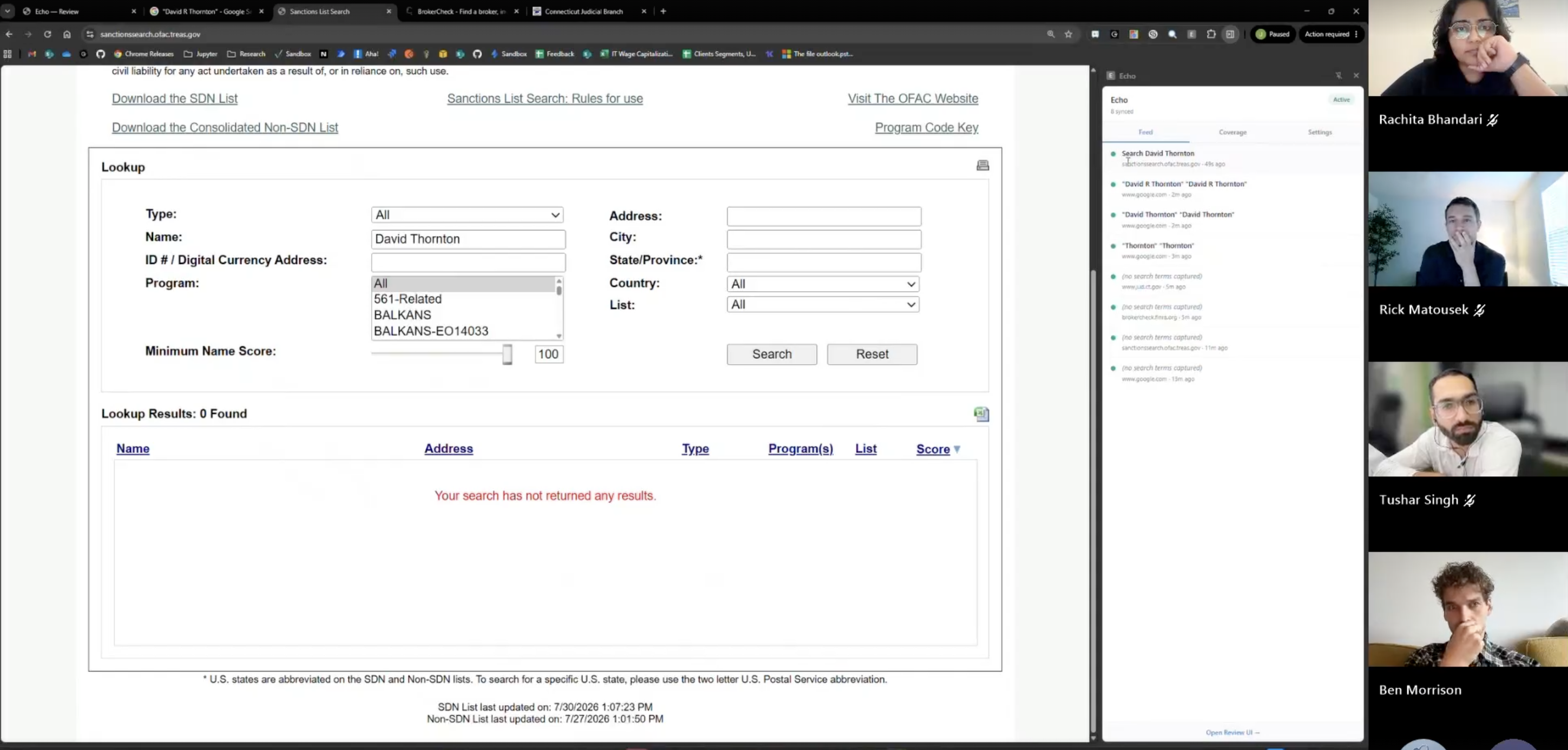
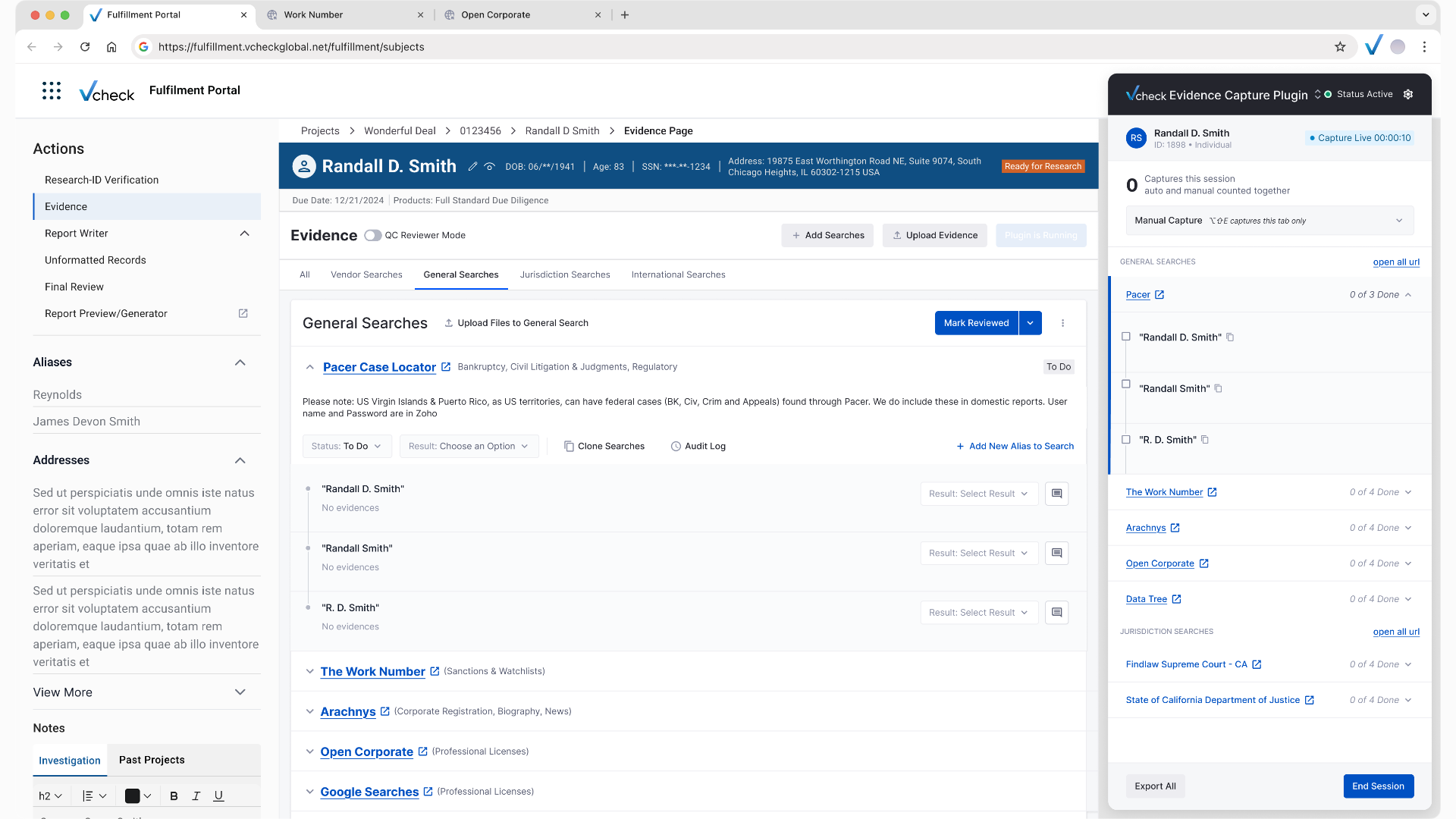
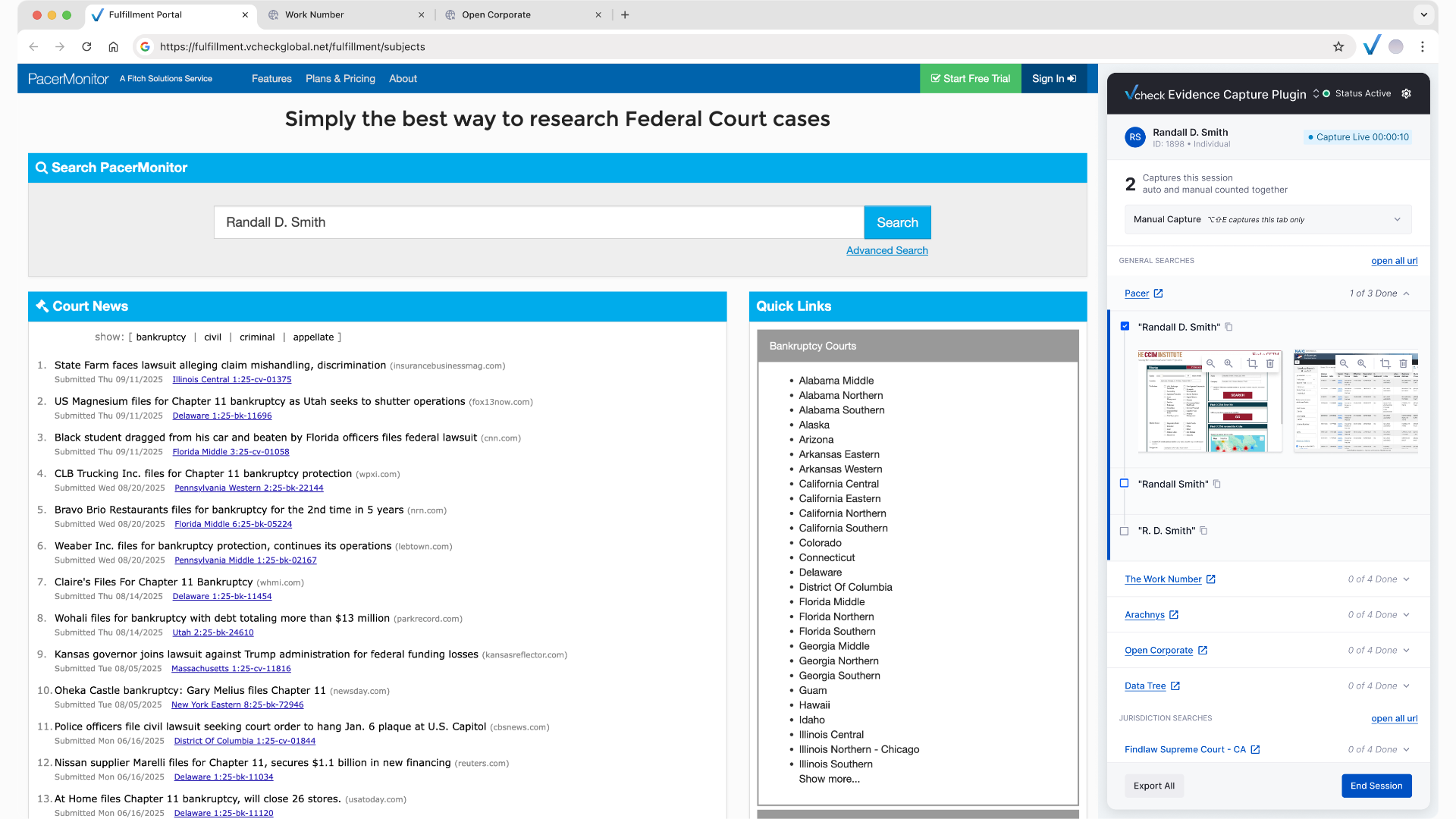
The Evidence Capture plugin docks beside any source site and mirrors the portal’s search checklist. The investigator still runs every search themselves; the plugin watches, captures each step, files it, and moves them to the next alias.

After · with the pluginStart the plugin, search as usual, the plugin does the rest
  1. 1Start the plugin
  2. ✓Checklist of sites and aliases loads
  3. 2Open a site, search the alias
  4. ✓Captures each step
  5. ✓Files under search and alias
  6. ✓Ticks it off, queues the next
InvestigatorPlugin, automatic
Plugin docked beside the evidence page, session live with the search checklist
Plugin open beside PacerMonitor with the alias checklist
Searching a copied alias on PacerMonitor, two captures taken
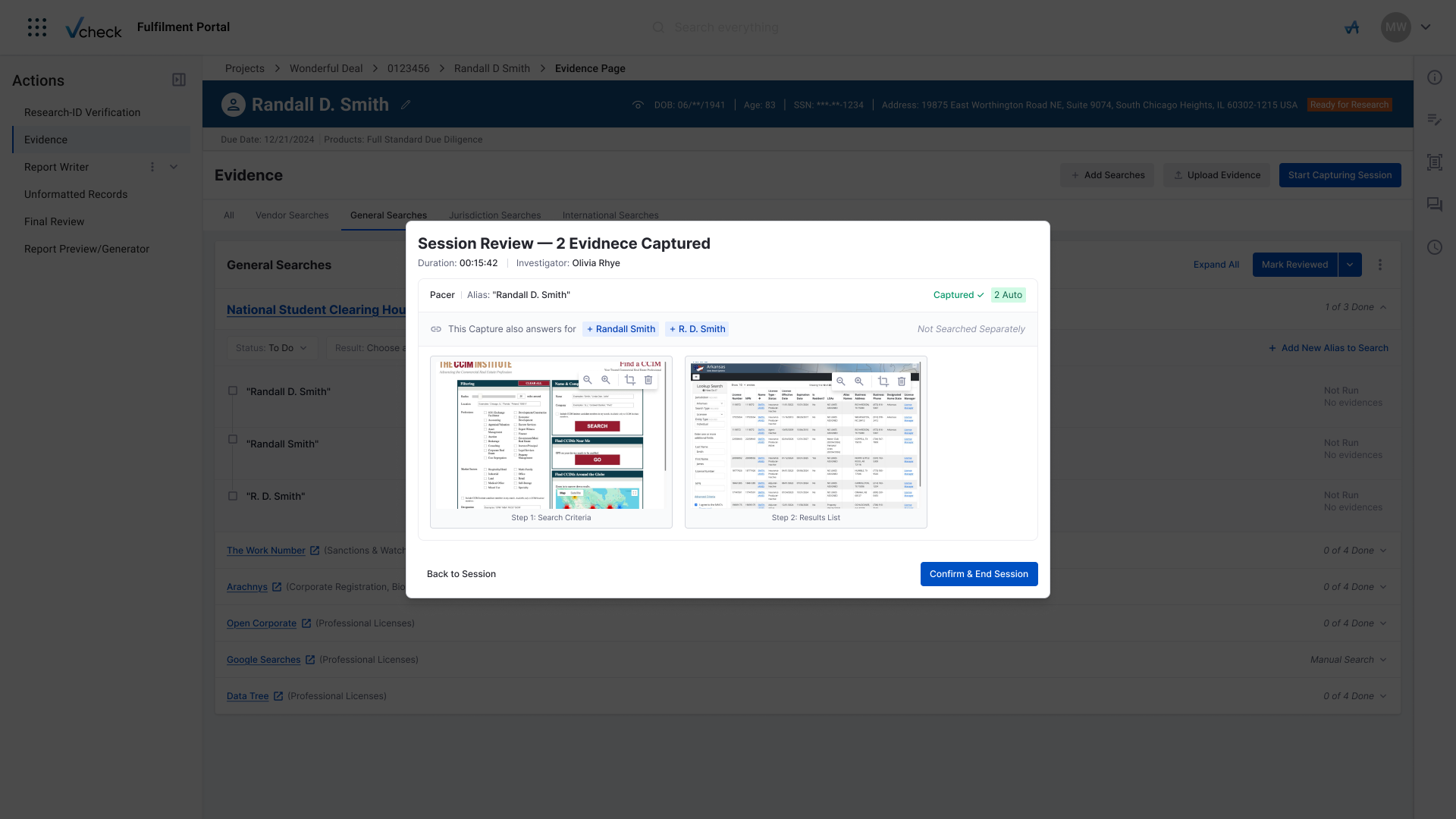
Session review modal confirming two auto-captured screenshots
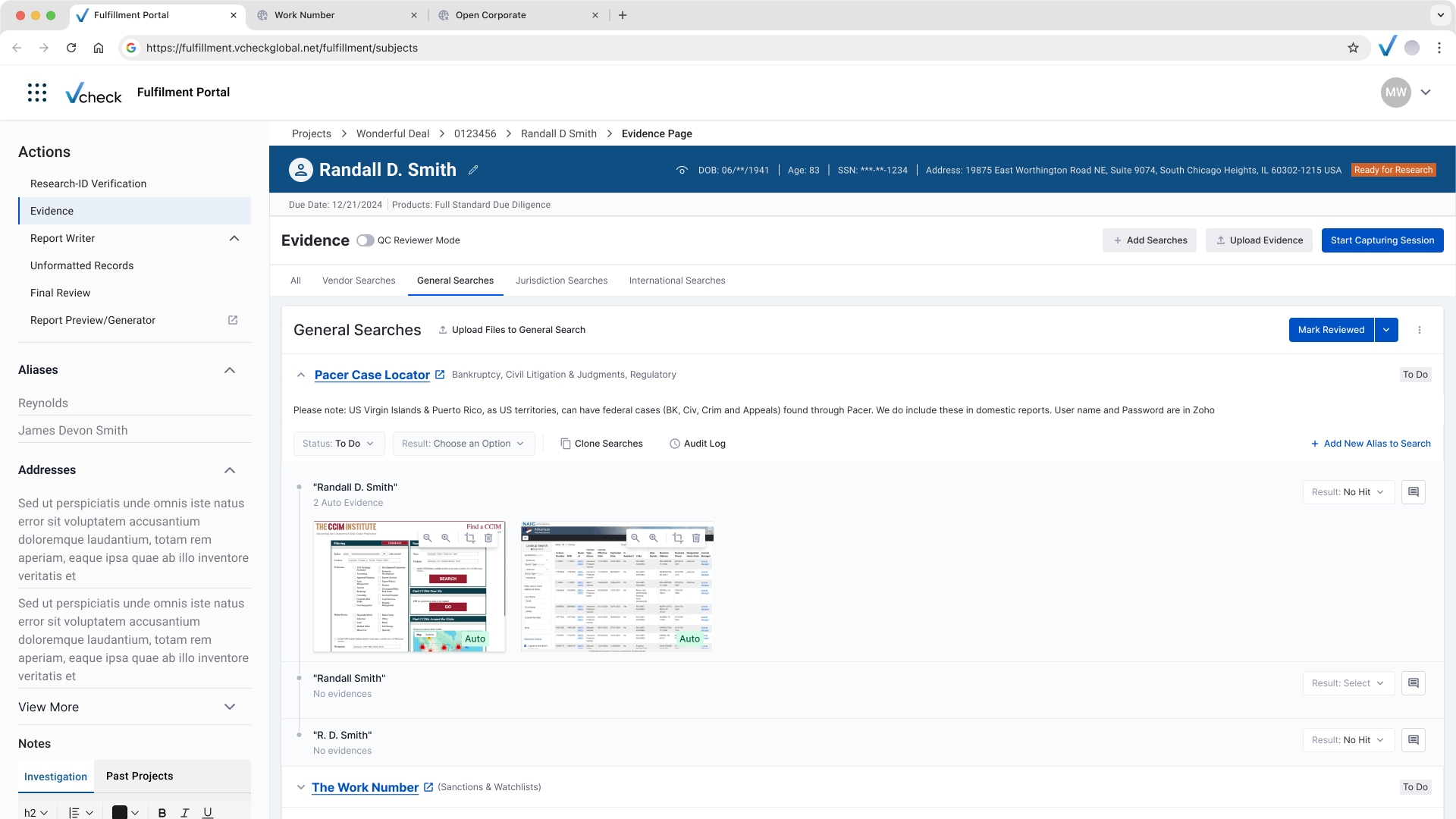
Evidence page showing auto-captured evidence under the alias
05 · Designing for the exceptions

Automation covers the routine. The exceptions still need a path.

Investigations rarely follow the happy path. For each case where the plugin alone would fall short, I designed a way through that keeps the investigator in control without bringing back the clicking.

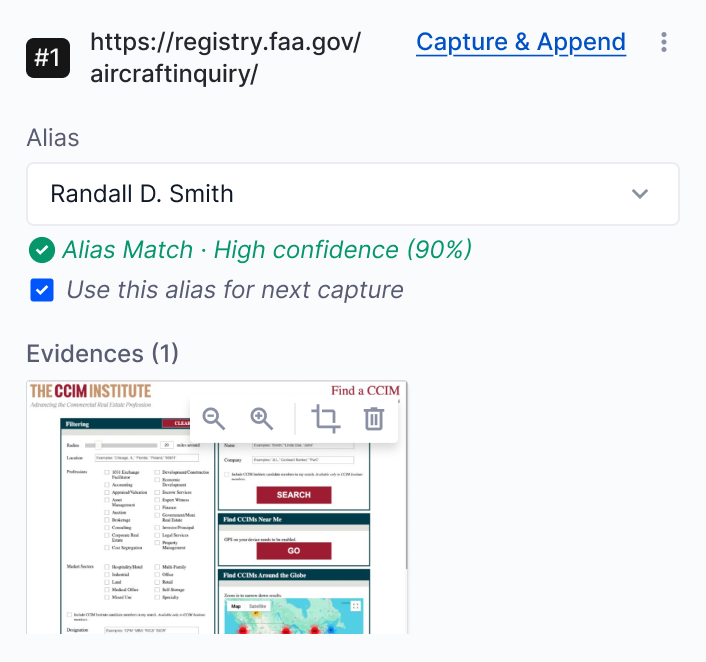
Manual capture evidence card with alias suggestion
01 · Manual capture Capture what the
plugin wouldn’t
WhenAn extra screenshot is needed, like a case detail or a modal.
DecisionOne click or ⌥⇧E captures the tab and suggests the alias.
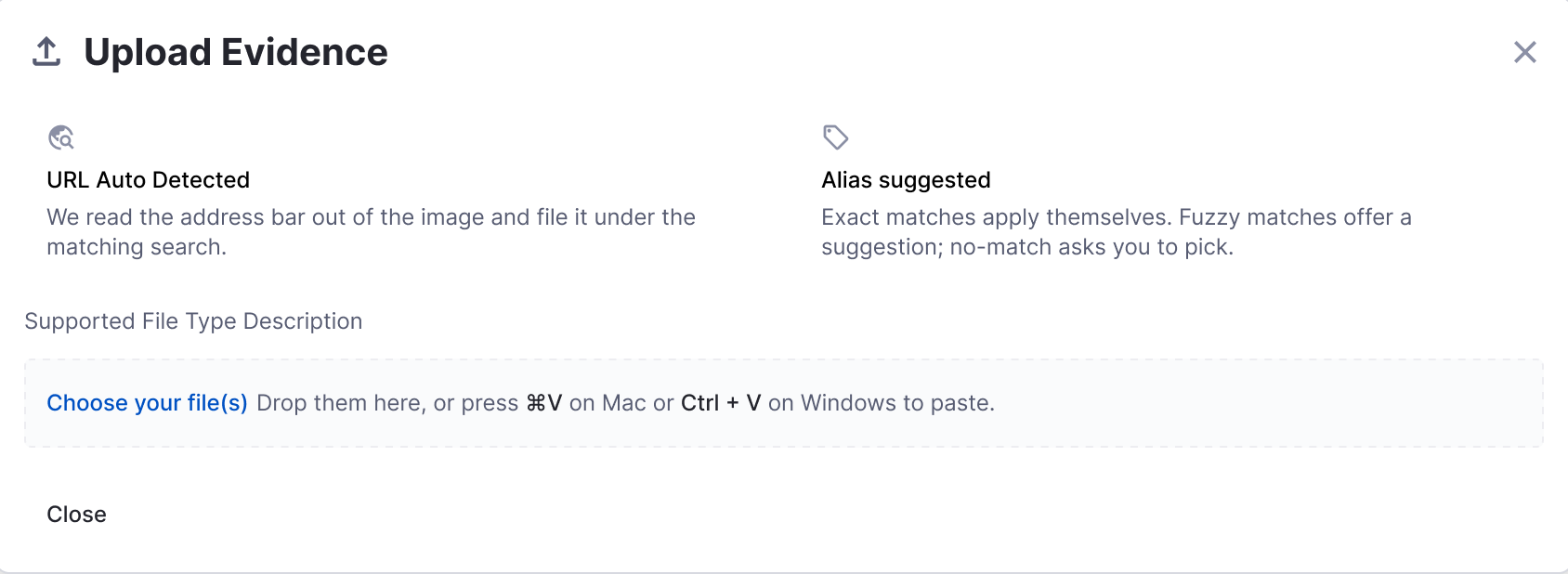
Upload Evidence dialog: URL auto detected, alias suggested
02 · Bulk upload A fallback for sites
the plugin can’t see
WhenEvidence comes from outside the browser or a blocked site.
DecisionDrop every file at once; the portal reads URL and alias.
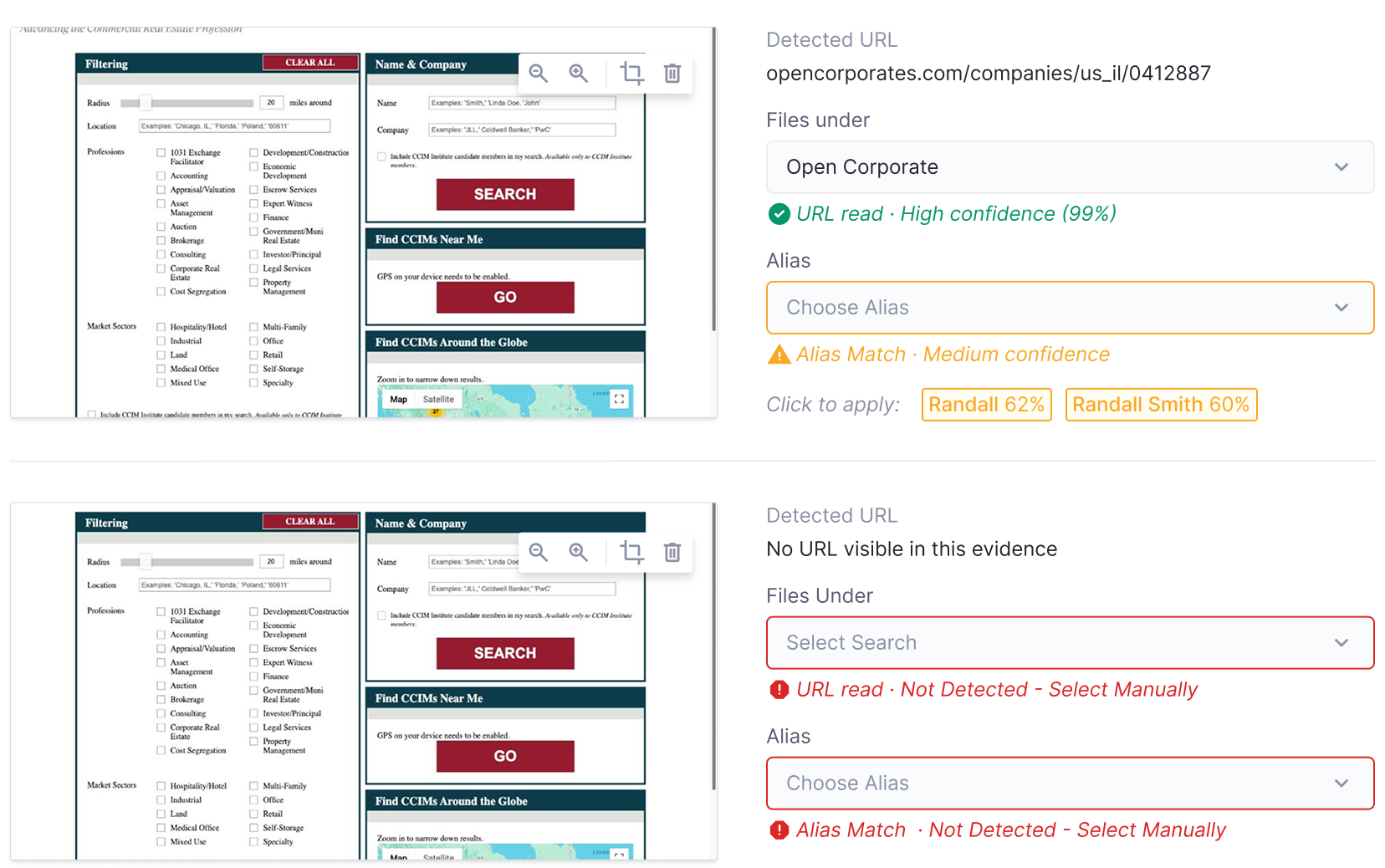
Medium-confidence and not-detected evidence rows
03 · Low-confidence matches The system suggests,
the investigator confirms
WhenA file shows a partial name, or no URL at all.
DecisionExact matches apply, fuzzy are suggested, rest by hand.
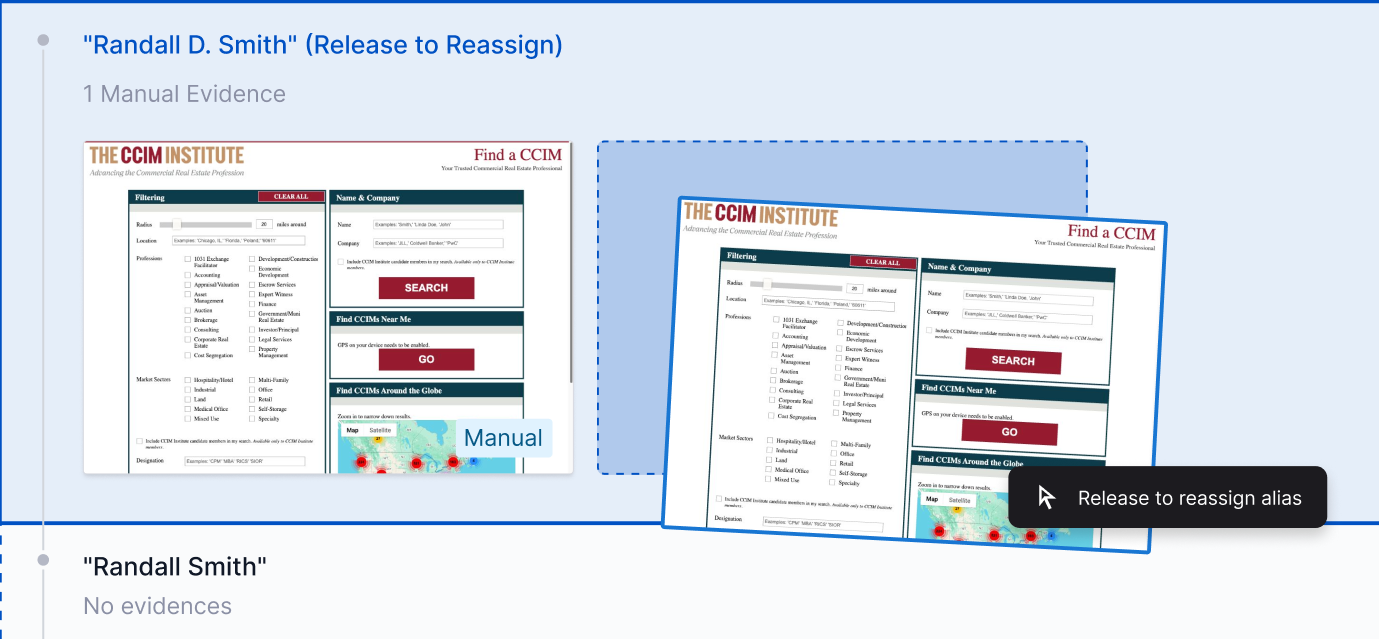
Dragging evidence onto another alias to reassign
04 · Reassign Fix a wrong match
in one move
WhenA manual capture was filed under the wrong alias.
DecisionDrag the evidence onto the right alias to reassign it.
06 · Delivery

One file for every team, from first flow to final edge case

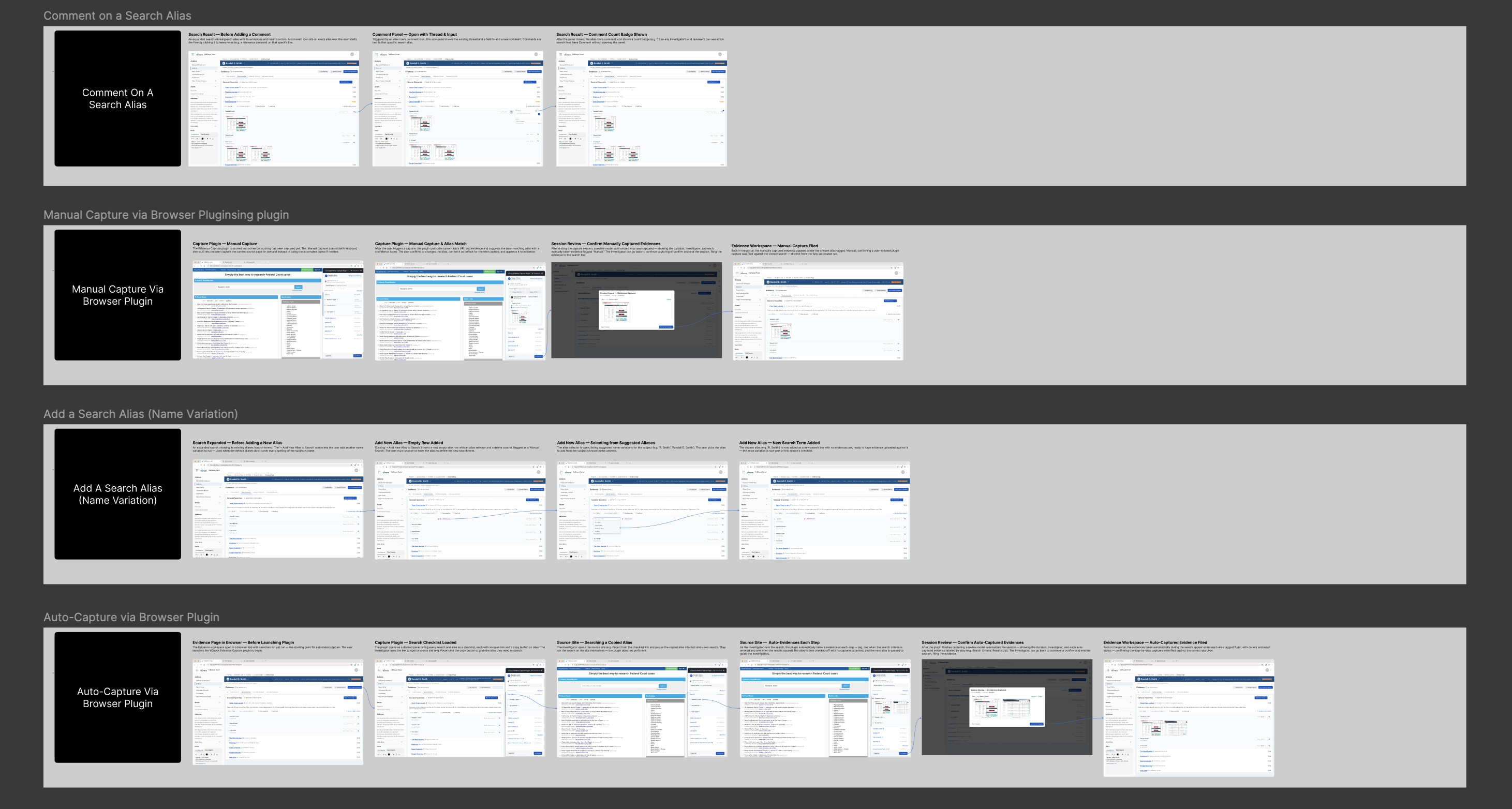
I delivered the work as a Source of Truth file in Figma: high-fidelity user flows paired with the technical documentation behind every screen, so engineering, product and QA worked from the same reference.

High-fidelity flowsDocs beside every screenOne reference for every team
Source of Truth Figma file: Comment on a Search Alias, Manual Capture, Add a Search Alias and Auto-Capture flows
PreviousParticle design system
Get to know me

Off the
clock.

When I'm not designing, I'm feeding the community dogs and cats near home, planning the next trip, or sketching. This board has a bit of all of it.

Drag anything around
The Milky Way over the mountains Stayed up for these
Kiyomizu-dera at night Kyoto in the dark
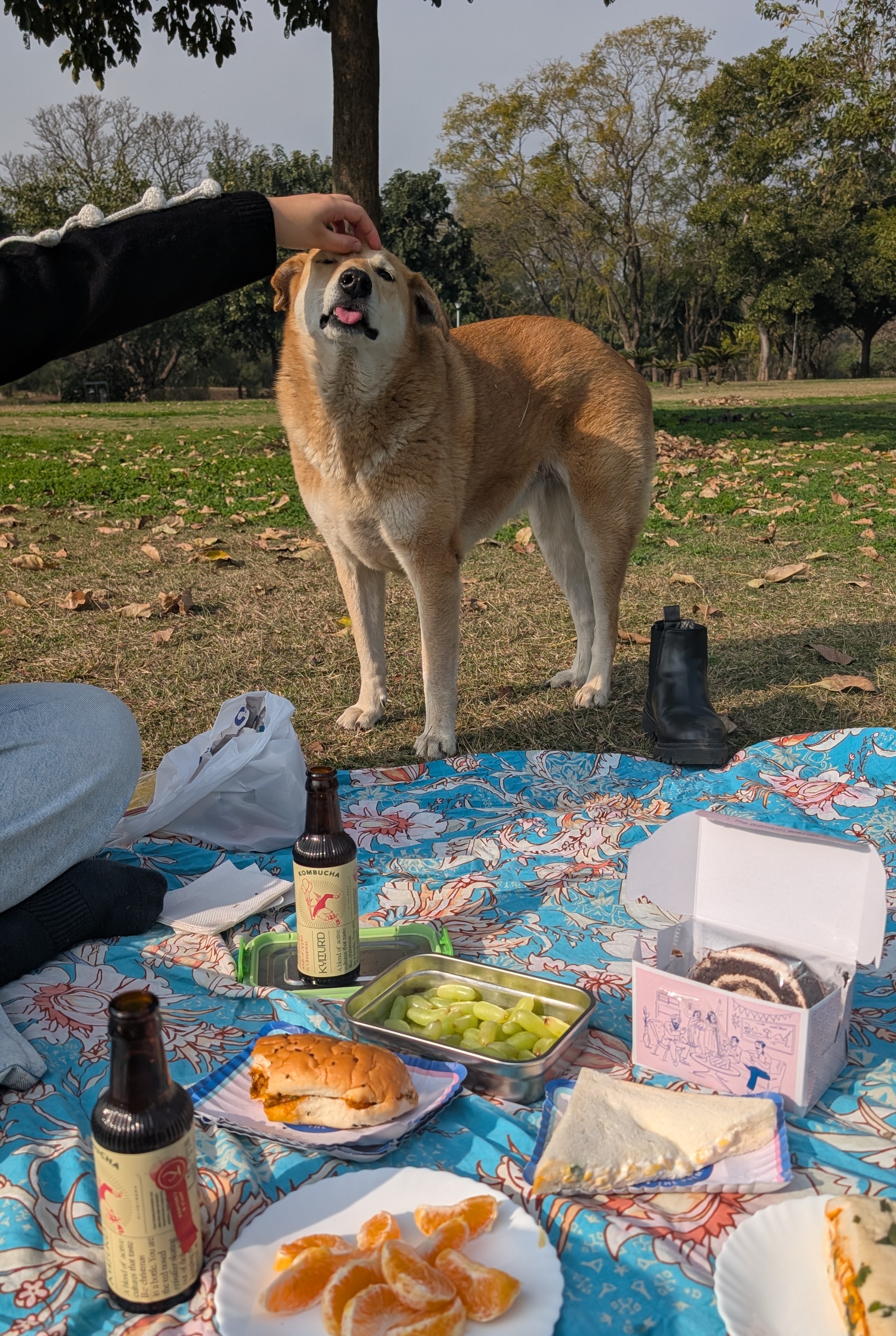
A community dog getting a head scratch Head scratches
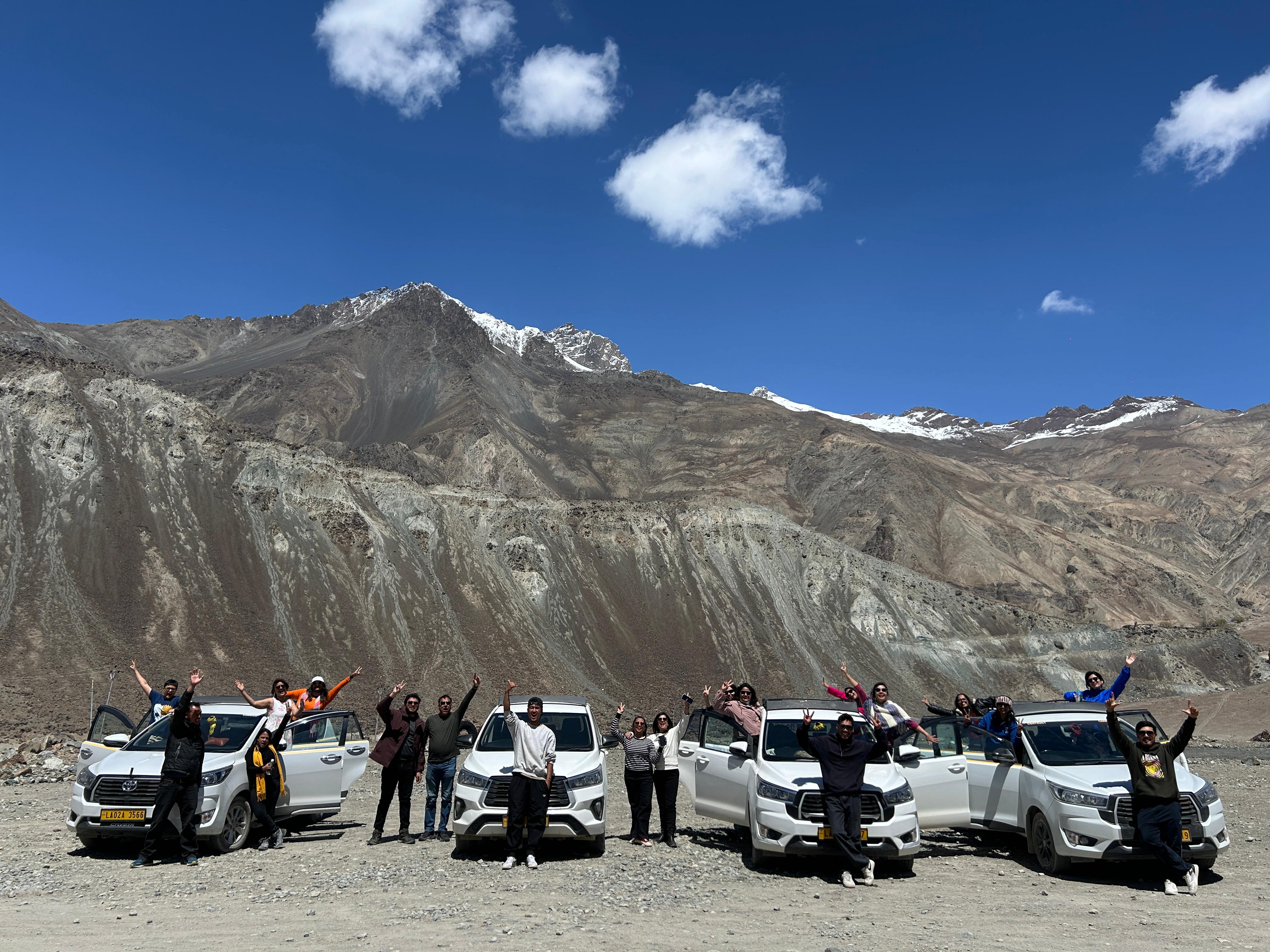
A group of travellers in Ladakh Somewhere in Ladakh
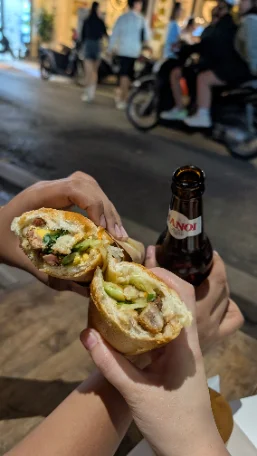
Bánh mì and a Hanoi beer on the street Bánh mì, 10/10
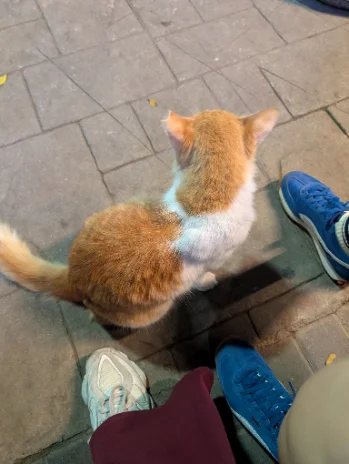
A ginger and white street cat Santra billa
An orange sunset over the city The sky showing off
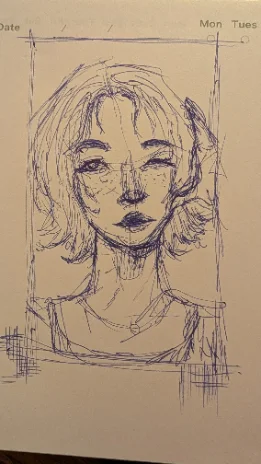
A pen sketch of a portrait Doodled
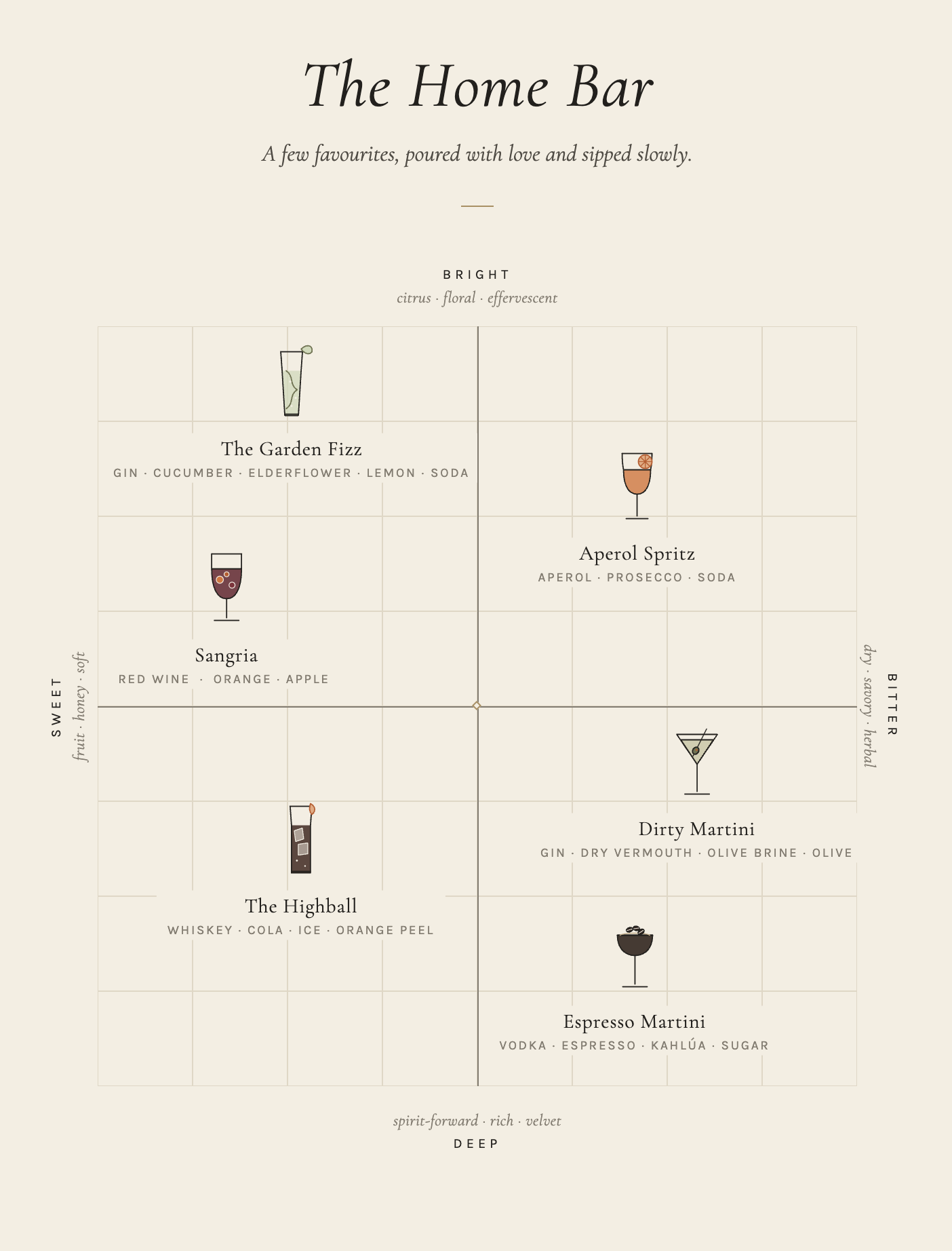
The Home Bar: a hand-drawn map of favourite cocktails from sweet to bitter, bright to deep The home bar
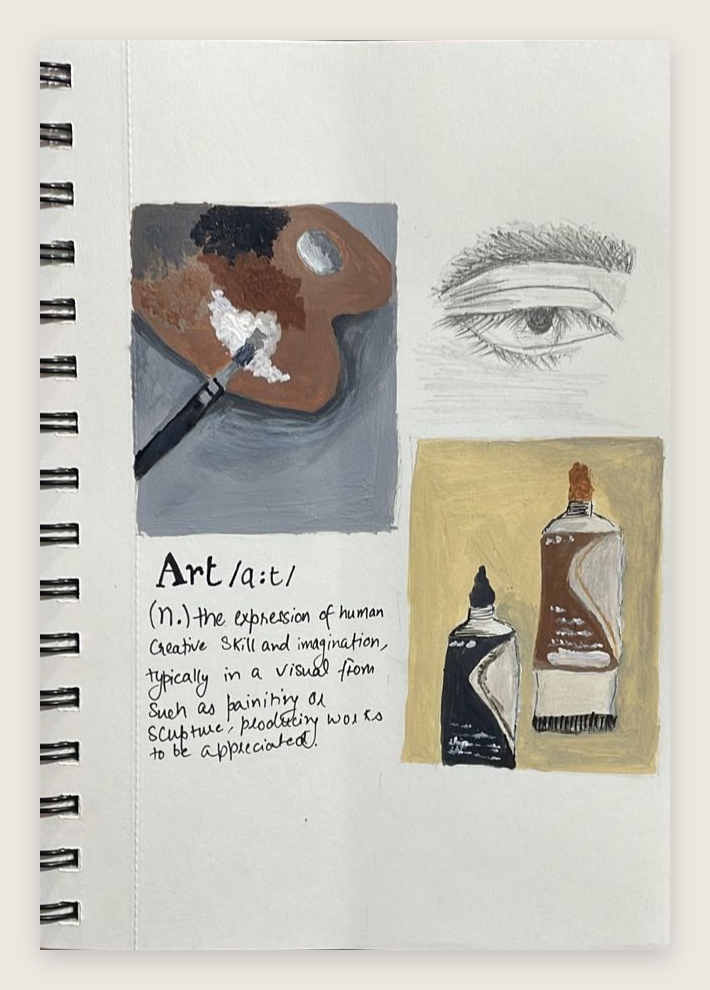
A sketchbook page with a painted palette, paint tubes, a pencil eye and a handwritten definition of art Art, /ɑːt/, noun
01 · Dogs & cats Feeder of the neighbourhood I feed the community dogs and cats and give them endless pets. Help me out.
{{ hearts }}
{{ pets }} and counting
02 · Travel Where to next?
Next departure{{ destStatus }}
{{ c }}
Suggest one
03 · Sketching Doodle with me
Draw a dog. Any dog.
{{ cvNote }}
Digital resume · 2026
Rachita Bhandari Senior Product Designer
rachitabhandari03@gmail.comlinkedin.com/in/rachitabhCurrently in Pune · Based out of Chandigarh
Summary

Senior product designer focused on design systems and product UI. At Vcheck I built Particle, the company's first design system, which cut design time for new features by 40% and doubled engineering delivery speed.

Experience
VCheck logoSenior Product Designer · VCheckApr 2026 – Present
Pune, Maharashtra · On-site
  • Product design & delivery. Leading the design direction across VCheck’s product ecosystem, bringing structure to complex operational workflows and creating scalable experiences across internal tools that power background verification operations, client-facing platforms that enable seamless verification and reporting, and portfolio experiences that drive visibility into verification health and risk.
  • AI-powered design transformation. Leading VCheck’s shift toward AI-enabled product development through building an intelligent design knowledge layer that brings our design system, patterns, and product decisions into AI workflows. Enabling teams to move faster and make better design decisions while strengthening design governance and quality at scale.
  • People & design leadership. Manage and mentor designers, setting expectations around ownership, product thinking, attention to detail. Partner with leadership and cross-functional teams to shape design priorities, improve team processes, and scale design practices as the organization grows.
VCheck logoProduct Designer · VCheckNov 2024 – Apr 2026
Pune, Maharashtra · On-site
  • Co-designed and drove adoption of a company-wide design system across 3 products, cutting development time by ~40% through better design–engineering alignment.
  • Led end-to-end design and launch of Risk/Finding Summaries, letting users pull insights without digging through data-heavy PDFs; ~37% of users engaged post-launch. Now leading the Interactive Report, its larger follow-up.
  • Redesigned the main client dashboard so clients can track multiple projects, move between product types, and download report files faster.
Synced.so logoProduct Designer · Synced.soFeb 2024 – Nov 2024
Chandigarh, India

Led design for new features of the Synced.so web app. My responsibilities include collaborating with cross-functional teams to enhance user experience, conducting user research and usability testing to inform design decisions, and creating wireframes, prototypes, and high-fidelity designs.

Mystic Labs logoProduct Designer · Mystic LabsMay 2023 – Jan 2024
Goa, India · Remote

Led, collaborated, and shipped design for AskBloc.ai, creating high fidelity wireframes, prototypes, and user-friendly interfaces. Conducted usability testing and iterated designs based on feedback. Created micro interactions using Lottie to enhance user experience. Delivered designs for side projects, including clients like Filmboard Movies, enhancing their digital presence and user engagement.

Skills
Product strategy Data-informed design AI-first product design Design systems Mentoring designers 0→1 and scale
Education
Panjab University logoBachelor’s in Computer Application · Panjab University, ChandigarhJul 2020 – May 2023